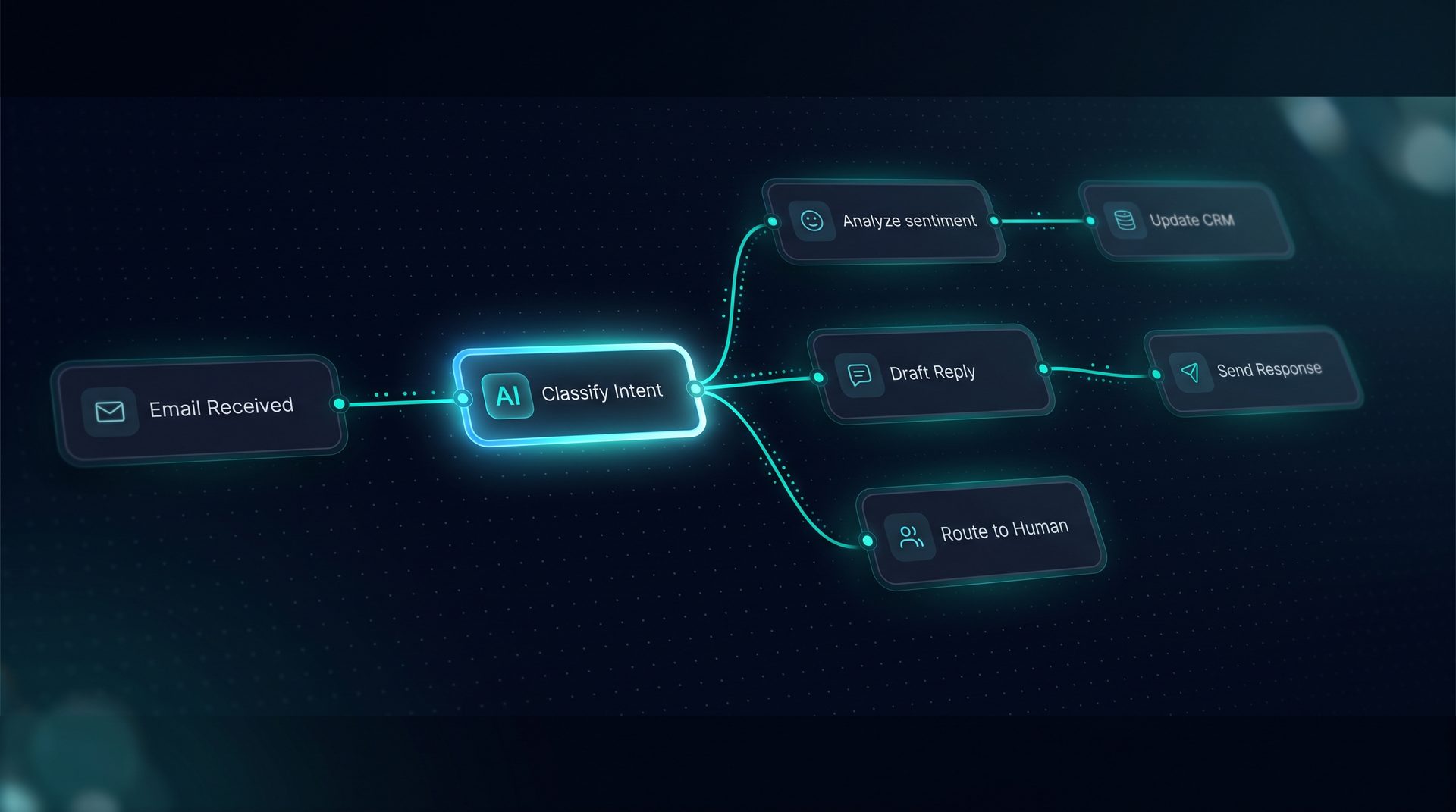
Agent automation that runs end-to-end, not just in a demo
Agent automation describes orchestrated workflows where agents coordinate tools, knowledge, and human review to complete repeatable business processes. Teams use agent automation to remove manual handoffs, reduce repetitive tasks, and keep control of sensitive data while shipping complex flows.
What agent automation is and why it matters
Agent automation is the practice of composing agents, integrations, and decision logic into a single executable workflow that triggers on events or schedules. This matters because many business processes are multi-step — approvals, customer responses, data routing — and traditional automation either needs heavy engineering or delivers brittle point solutions. With agent automation, product managers and ops teams can map real-world processes to an executable canvas and iterate quickly.
- Agent systems coordinate model calls, tool invocations, retrieval, and human-in-the-loop steps.
- Autonomous agent capabilities let subagents handle specialized tasks while a supervisor routes work and enforces guardrails.
- Agent software that exposes a visual canvas reduces developer backlog and speeds deployment.
Expert tip: Design flows with observable spans and per-node state so you can debug exact failures and tune retrieval or tool calls.
How agent automation works — step by step
- Trigger: An inbound webhook, scheduled job, inbound email, or polling event starts a run.
- Router and classifier: A classifier routes to the correct path depending on intent or metadata.
- Tool calls and transforms: The workflow invokes registered REST, GraphQL, SQL, or built-in tools; transforms shape payloads before model calls.
- Retrieval: Knowledge is retrieved from embedded vectors or Q&A pairs if applicable.
- Model call: A Deep Agent or model handles synthesis, classification, or generation tasks.
- Human-in-the-loop: Pause nodes or live handoffs send a run to a designated reviewer for approval.
- Deploy: The completed workflow returns results to a web widget, email, or Run API.
Each step records latency, token counts, and a cost span so teams can optimize both performance and spend. The visual canvas and live Playground illuminate the compiled prompt and the per-node inspector shows exact inputs and outputs.
Who should use agent automation
Agent automation is for business teams that need repeatable, multi-step processes handled without constant developer involvement. Specific roles include:
- Product managers who own customer-facing automation and want quick iteration.
- Ops teams automating approvals, routing, and data syncs across apps.
- Support leads building first-contact responders that escalate to humans.
- Data teams orchestrating extract-transform-load flows with human signoff.
Teams that need governance will appreciate project-level PII redaction, blocked terms, and allow/deny lists that apply across every agent.
Typical use cases and triggers
- Customer support: inbound email triggers a workflow that retrieves KB content, classifies urgency, and either replies or escalates to a human.
- Approvals: a multi-step approval flow fans out to stakeholders, aggregates responses, and finishes with a signed action.
- Data routing: a webhook ingests data, transforms payloads with JMESPath projection, calls downstream APIs, and logs outcomes.
- Monitoring and scheduled tasks: scheduled triggers sweep accounts and open tickets for anomalies.
Agent automation supports these triggers natively and gives teams a sandboxed UI to author interactive components like tables, cards, and forms embedded in responses.
How DeepForce implements agent automation (example, not a hard sell)
DeepForce is an open-source platform that exposes a drag-and-drop canvas for building agent automation. It runs on LangChain and LangGraph and keeps infrastructure under your control. Use tool builder to register REST, GraphQL, SQL, or built-in tools; configure retries, rate limits, and caching per tool; and protect outbound calls with an SSRF guard.
Key builder features useful for agent automation:
- Visual Agent Builder: compose models, system prompts, tools, and Q&A pairs without writing JSON.
- Visual Workflow Builder: use React Flow canvas, routers, loops, and parallel fan-out/join for complex flows.
- Human-in-the-Loop: pause nodes and live handoff route runs to human inboxes and resume over the same channel.
These capabilities make DeepForce suitable when you want an autonomous agent to handle specialist tasks while a supervisor coordinates multiple subagents.
Design patterns and governance
- Use Q&A pairs to intercept frequent queries before retrieval and reduce model calls.
- Group tools into named sets and grant them in one click to limit surface area for each agent system.
- Apply project-level guardrails: PII redaction, blocked terms, and network allow/deny lists for compliance.
- Monitor runs via span trees and export telemetry to an OpenTelemetry collector for centralized observability.
When to choose agent automation
Choose agent automation when a process repeats regularly, involves branching logic, or requires human oversight at certain steps. If you need a non-developer on your team to iterate on flows, a visual agent software with built-in observability and governance will shorten time-to-value.
Next steps to get started
- Map your process: document triggers, decision points, tools, and handoffs.
- Prototype on a canvas: build a minimal flow that covers core success criteria.
- Add guardrails and observability: enable PII redaction and span tracing to measure and tune.
Agent automation unlocks higher throughput while preserving control. Use visual agent systems to reduce developer bottlenecks and make ops-driven automation practical for complex, multi-step workflows.