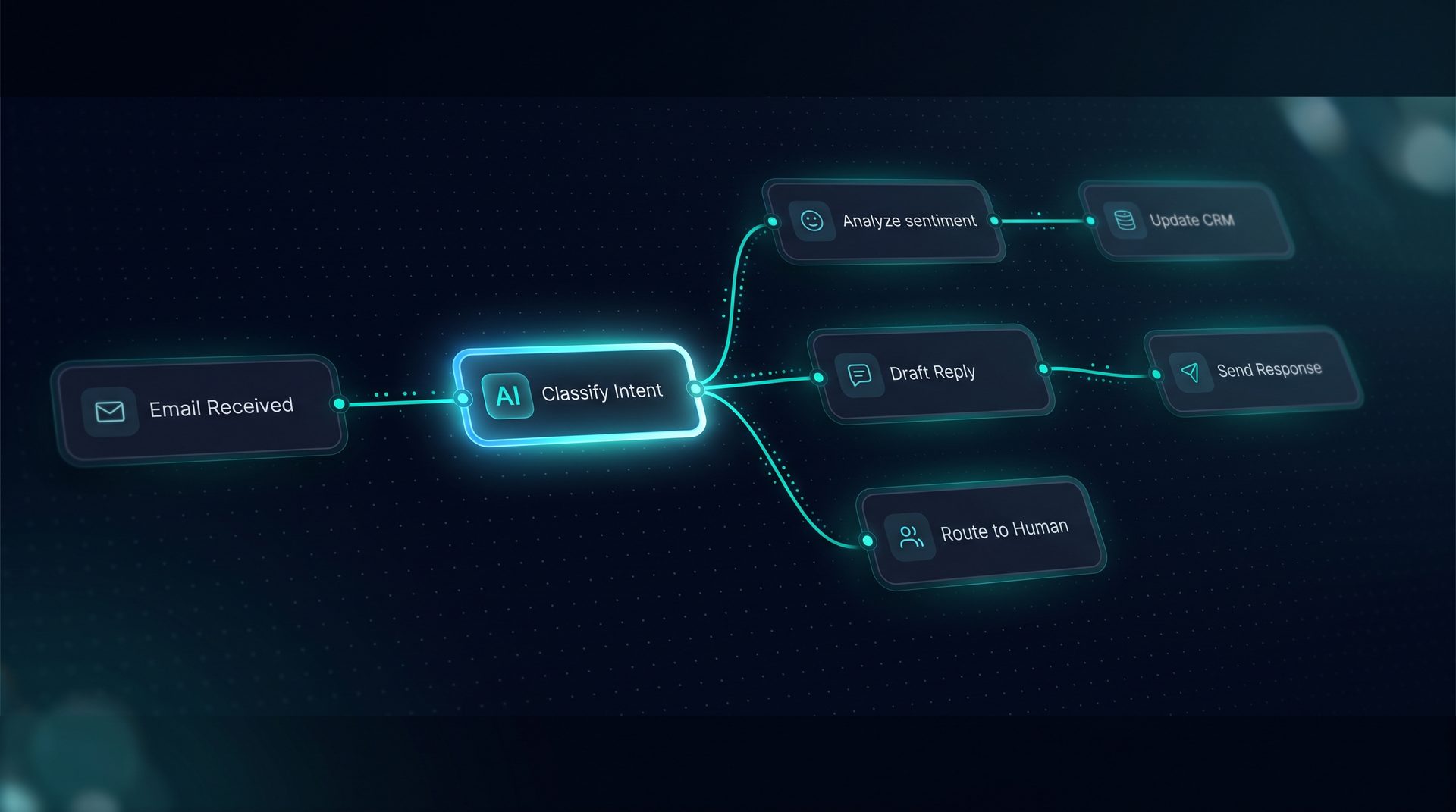
Ai automation platform choices matter when teams need to move repeatable work out of inboxes and into reliable workflows. This guide explains what an ai automation platform is, why it matters for business teams, and how to evaluate platforms when you need agent automation without heavy engineering trade-offs.
What an ai automation platform is
An ai automation platform is software that enables non-developers and engineers to design, test, and run AI-driven workflows and agents that execute repeatable processes. Typical capabilities include visual builders, tool integrations, knowledge ingestion, deployment channels, and monitoring. These platforms aim to reduce friction between idea and production by providing drag-and-drop interfaces and components that represent model calls, tool calls, routers, human review, and triggers.
Why this matters: teams waste time on manual routing, repetitive approvals, and ad-hoc research tasks. The right ai automation platform shortens that cycle and surfaces measurable improvements in response time, accuracy of routing, and auditability.
Why business teams choose an ai automation platform
- Faster iteration: a visual builder lets subject-matter experts prototype workflows without waiting for engineering.
- Lower operational overhead: self-hosted or on-prem deployments keep data under control when security teams require it.
- Flexible deployment: publish to web widgets, email channels, API endpoints, or an MCP server to reach customers and internal systems.
If your goal is to scale processes like approvals, customer support triage, or data routing, consider platforms that emphasize agent automation, clear observability, and human-in-the-loop handoffs.
How ai automation software typically works (step-by-step)
- Define the problem: identify a repeatable process such as onboarding, returns processing, or knowledge triage.
- Build visually: place agents, classifiers, tool calls, and human review nodes on a canvas. Use form-driven prompts and per-node inspectors rather than hand-editing JSON.
- Connect knowledge: ingest files, URLs, and Q&A pairs for retrieval-augmented generation and searchable context.
- Test in a Playground: run sample cases, watch streamed runs, and inspect token use, latency, and per-step traces.
- Deploy: publish to a web widget, email channel, Run API, or MCP server. Lock widget origins and configure environment-specific endpoints.
- Observe and govern: review audit logs, PII redaction, quota caps, and role-scoped API keys.
Expert tip: prioritize platforms that show a live compiled prompt and let you test model calls with real tool responses before publishing.
Key features to evaluate in ai automation software
- Visual Agent Builder: Look for drag-and-drop creation of agents and subagents, with the ability to attach tools and system prompts per agent.
- Visual Workflow Builder: A React Flow-like canvas with routers, loops, parallel fan-out/join, and subworkflows makes complex logic maintainable.
- Tool Builder: Native support for REST, GraphQL, SQL, and custom code hooks speeds integration to third-party systems.
- Knowledge and RAG: Offline-capable embeddings, chunking, and search debugging are essential for consistent retrieval results.
- Deployment Channels: Multiple channels — web widget, email, Run API, MCP server, and triggers — let you place automation where users already are.
- Observability: Per-run span trees with token and cost tracking help teams optimize and troubleshoot.
- Governance: PII redaction, blocked terms, network allow/deny lists, and scoped API keys protect sensitive operations.
Who should adopt an ai automation platform
- Operations teams that want to automate approvals and routing without writing framework code.
- Support teams aiming to reduce repetitive tickets by surfacing relevant knowledge and suggested responses.
- Product teams prototyping assistant experiences that need controlled deployment surfaces like widgets or in-app APIs.
- Security and compliance teams who require self-hosting and strict governance controls.
The right platform meets the needs of cross-functional teams: product, ops, legal, and engineering.
When to choose a visual ai automation platform versus code-first tools
Choose a visual ai automation platform when:
- You need quick time-to-value and iteration by non-developers.
- You require multiple deployment surfaces (widget, email, API) out of one workflow.
- Governance and self-hosting are mandatory.
Choose a code-first approach when you require custom model engineering or complex low-level performance tuning that the visual canvas cannot represent.
Real-world considerations for adoption
- Integration surface: confirm the platform supports your REST and GraphQL endpoints and can register SQL or custom tool calls.
- Retrievability: check support for txt, md, pdf, html, csv, and json, plus a search debugger for RAG tuning.
- Human handoff: ensure pause nodes and live handoff routes can route sessions to a human inbox and resume over the same channel.
- Observability and export: ability to export traces to OpenTelemetry collectors is useful for centralized monitoring.
DeepForce as an example solution (positioned, not sold)
As an example of an ai automation platform, DeepForce is an open-source, self-hosted platform built on LangChain and LangGraph. It offers a visual agent builder, a visual workflow canvas, a tool builder for REST/GraphQL/SQL, offline-capable knowledge ingestion, generative UI components, and multiple deployment channels including a web widget, email, Run API, and MCP server. DeepForce emphasizes observability with per-run span trees and governance features like PII redaction and quota caps. Use it as a reference when comparing feature parity, deployment models, and governance controls across vendors.
Conclusion and next steps
An ai automation platform helps teams convert repetitive work into consistent, observable workflows. Evaluate vendors for visual building, tool integrations, RAG capabilities, deployment channels, and governance. Pilot with a single use case like support triage or approvals: build, test in a Playground, and deploy to a single channel to measure impact. That pragmatic approach reduces risk and shows measurable returns from agent automation and ai process automation investments.