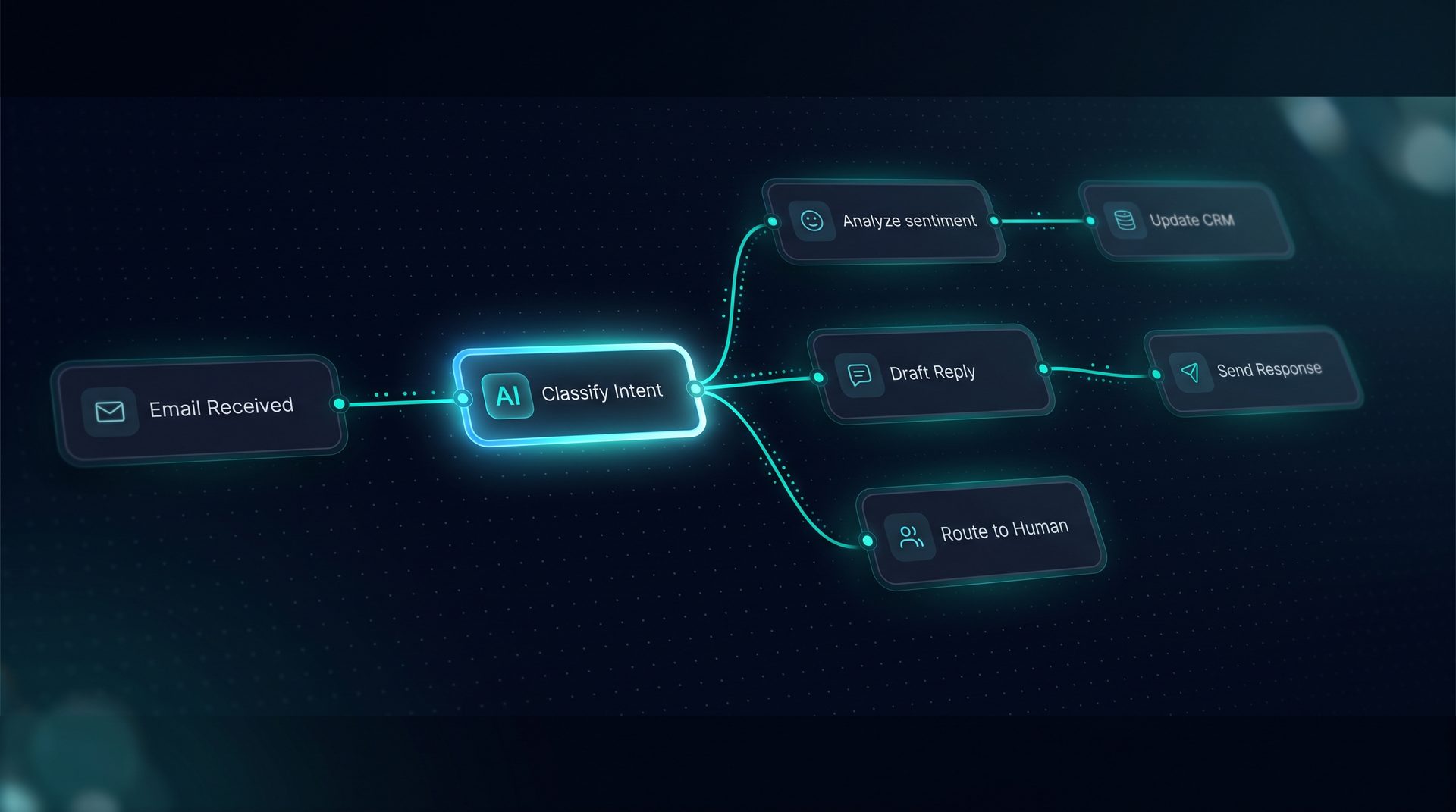
What a no code ai builder is and why it matters
A no code ai builder is a visual platform that lets teams design, test, and deploy AI agents and automated workflows without writing framework code. For product managers, operations leads, and support teams, this changes what’s possible in a single session: describe a process, drag and drop components, test live, and publish to a URL, email inbox, API endpoint, or embeddable widget.
This matters because many business automations never ship: development bottlenecks, enterprise pricing, and fragmented tooling mean repeatable work stays manual. A no code ai builder removes those blockers by exposing model selection, prompts, tools, and knowledge ingestion as form fields and canvas nodes instead of JSON and CI pipelines.
Core capabilities you should expect from a no code ai builder
- Visual Agent Builder: Create agents from models, system prompts, tools, knowledge, and Q&A pairs using forms and a compiled prompt preview.
- Visual Workflow Builder: Drag-and-drop canvas with classifiers, tool calls, transforms, retrieval, loops, parallel joins, and human-in-the-loop pauses.
- Tool Builder: Register REST, GraphQL, SQL, or code-based tools and test them live from the same interface.
- Knowledge and RAG: Ingest files, URLs, or crawled sites and store chunked embeddings for retrieval-augmented generation.
These features let non-technical users build ai assistants that perform approvals, customer support routing, research summarization, and data syncing without developer handoff.
How a no code ai builder typically works — step by step
- Define the goal: decide whether you’re building an FAQ assistant, an approval workflow, or a data router.
- Choose a model and system prompt: select a model and author a system prompt via a form; a live compiled prompt shows how prompts will look at runtime.
- Add tools and data: register REST or GraphQL APIs, connect files, and configure retrieval folders.
- Wire nodes on the canvas: drag agents, classifiers, transforms, and human handoff nodes onto a workflow and connect edges.
- Test in the Playground: run sample conversations and watch nodes light up as runs stream.
- Deploy to channels: publish to a web widget, inbound email, Run API, or MCP server.
Expert tip: Use Q&A pairs to intercept frequent questions before retrieval. This reduces hallucinations and improves query latency in production.
Who benefits from a no code ai builder
- Product managers who need an operational prototype fast.
- Support teams that want an AI to triage tickets and route escalations.
- Ops and finance teams automating approvals and compliance checks.
- Internal knowledge teams creating embeddable assistants to surface documentation.
Non-technical builders can describe processes in plain language and assemble workflows visually, while developers keep control over deployment, observability, and tool integrations when needed.
Use cases and example flows
- Customer support: an assistant that uses Q&A pairs to answer common queries, falls back to retrieval for documentation, and routes to a human-in-the-loop for complex cases.
- Approvals: a workflow that validates input, calls an internal REST tool to check policy, and pauses for manager approval before committing changes.
- Research assistant: ingest PDFs and websites, run retrieval with a search debugger, and synthesize findings into an executive summary.
Each case shows how to build an ai assistant without writing framework code and how a no code ai builder reduces time-to-value.
Integration and governance considerations
When evaluating platforms, check for: environment-scoped variables, SSRF guard on outbound calls, retry and rate-limit controls for tools, PII redaction, and per-project roles with scoped API keys. These governance features let teams scale safely while remaining self-hosted.
A no code ai builder should also export runs and traces to OpenTelemetry-compatible collectors and provide cost accounting per step so product owners can track tokens and latency.
How DeepForce fits as an example solution (product reference, not hard sell)
DeepForce demonstrates how a mature no code ai builder looks in practice: a drag-and-drop canvas for agents and workflows, a Tool Builder for REST/GraphQL/SQL tools, RAG-enabled knowledge ingestion, and deployment channels including web widgets, inbound email, Run API, and MCP server. The platform runs on LangChain and LangGraph and is designed for teams that want to build ai assistants and ship them without writing framework scaffolding.
Use DeepForce as a reference when mapping features you need: compiled prompt preview, a Playground that streams live runs, and observability that breaks down runs into nested spans for latency and token costs.
When to choose a no code ai builder vs framework work
Choose a no code ai builder when you need the fastest path to a working assistant, want non-technical stakeholders to iterate, or need to prototype multiple workflows quickly. Consider framework work when your project requires custom model engineering, bespoke infrastructure, or a deeply integrated CI/CD pipeline that a visual tool can’t export.
Final checklist before you pick a platform
- Can non-technical users create agents and workflows without developer help?
- Are tools registerable and testable from the UI?
- Is knowledge ingestion flexible (files, URLs, crawls)?
- Are governance and observability controls present?
- Can you deploy to the channels your users need (widget, email, API)?
If the answers are yes, a no code ai builder will accelerate delivery while keeping your team in control.
Summary
A no code ai builder enables teams to build ai assistants, create an ai workflow, and ship to production channels without framework work. It empowers non-technical builders to build ai solutions, reduces time-to-value, and preserves governance and observability for operators. Use a visual platform when you want to move from idea to deployed agent in a single session, and evaluate specific features like tool registration, retrieval tooling, and human-in-the-loop handoffs when choosing the right product.