Ai development tools are the collection of interfaces, connectors, and runtime guards that let teams extend models with external data and actions. For engineering and product teams evaluating automation platforms, understanding how ai development tools work and how they protect data flow is essential. This article explains what ai development tools do, why they matter, how they work step-by-step, who benefits, and when to use them — with DeepForce used as a concrete example of an ai dev tools implementation.
What ai development tools are and why they matter
ai development tools are the adapters between a model and your systems: REST endpoints, GraphQL services, SQL databases, code hooks, and MCP endpoints. They let models take actions, fetch records, or push updates during a workflow run. In modern ai development, tool stability, observability, and payload control matter as much as model selection.
- Security: SSRF guard and network allow/deny lists stop unsafe outbound calls.
- Cost control: JMESPath projection trims payloads so the model sees only necessary fields, reducing tokens and expense.
- Reliability: Retries and rate limits keep workflows resilient under intermittent failures.
These capabilities change how product teams approach ai development and ai app development by shifting integration work from code-heavy engineering tasks to configuration and governance.
How ai dev tools work — step by step
- Define a tool: register a REST, GraphQL, SQL, code, or MCP endpoint with name, auth, and environment variables.
- Trim inputs: apply a JMESPath projection to reduce payload size and send only the required fields to the model.
- Protect calls: SSRF guard validates outbound destinations; network allow/deny lists enforce policy.
- Configure behavior: set retries, rate limits, timeouts, and caching per tool to match SLAs.
- Test live: use an interactive test panel to call the tool and inspect the request/response with a real-time token meter.
- Publish toolsets: group tools into grantable sets and publish them as MCP toolsets for reuse.
This workflow means teams performing ai app development can iterate on integrations without repeated backend releases. It reduces friction for non-developers while keeping developers in control of production guardrails.
Key technical components and terms
- JMESPath projection: A query language used to trim large JSON payloads before the model receives them. It reduces token usage and surfaces only the fields the model needs.
- SSRF guard: A runtime check that prevents requests to internal or disallowed IP ranges and domains.
- MCP toolsets: Grouped tools that can be published and granted in one click for teams and projects.
- Environment variables per environment: Endpoints and secrets resolve differently in staging and production, making deployments safe.
Expert tip: Use a tight JMESPath projection for endpoints that return large documents. That single change often halves token consumption and improves model focus.
Who should use ai development tools
- Product managers building ai-enhanced features who need repeatable integrations without heavy engineering cycles.
- Backend engineers who want consistent observability and retry behavior across tool calls.
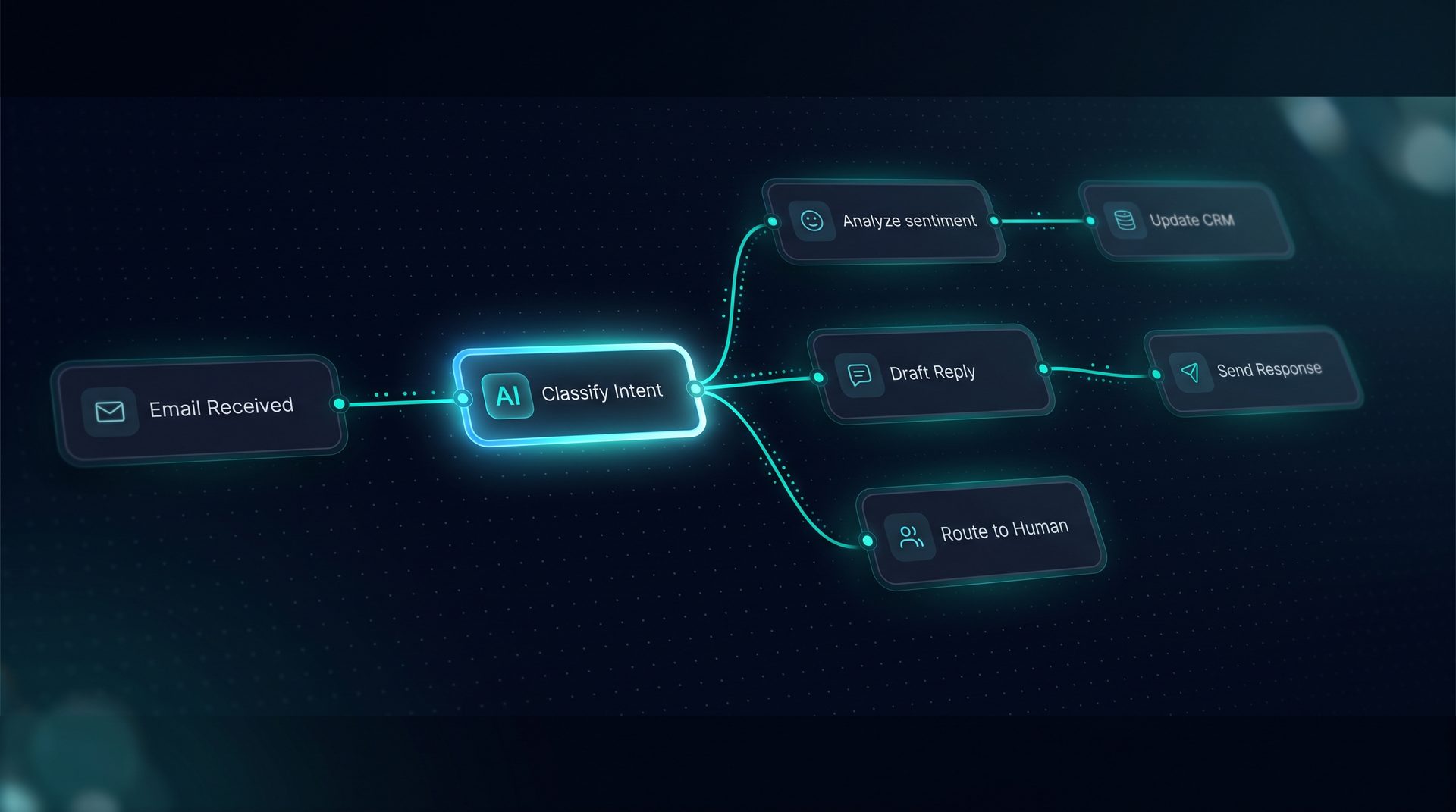
- Support and operations teams automating common requests like ticket triage or data lookups.
- Data teams performing ai development and RAG setups that need controlled retrieval before model calls.
For teams doing coding with ai, these tools let developers prototype integrations quickly and then harden them with retries, rate limits, and SSRF protection.
When to choose a visual tool builder vs writing custom code
Choose a visual tool builder when you need fast iteration, governed deployments, and non-developers to participate in building workflows. Choose custom code when you require complex business logic that cannot be expressed with the platform's transforms or when you need highly optimized, bespoke clients. The balance shifts toward platform-first approaches for ai app development because they reduce time-to-value.
DeepForce as an example of ai dev tools in practice
DeepForce demonstrates a complete tool builder for ai development tools: register REST, GraphQL, SQL, code, and MCP tools; apply JMESPath projection before the model; test with a live token meter; and publish toolsets. The platform provides SSRF guard, retries, rate limits, caching, environment variable resolution, and built-in undeletable tools that simplify governance. Projects can export tools as JSON bundles and import them between environments, without exporting secret values.
- Built-in observability shows latency, tokens, and cost per step in a span tree.
- Tool grouping and grantable toolsets make it simple to share capabilities across teams.
Using DeepForce as an ai dev tools example keeps the article concrete while focusing mostly on general guidance for selecting and using ai development tools.
Practical checklist for evaluating ai development tools
- Can the platform register REST, GraphQL, SQL, code, and MCP endpoints?
- Does it support JMESPath or equivalent projection for payload trimming?
- Are SSRF guard and network allow/deny lists available?
- Can you configure retries, rate limits, timeouts, and caching per tool?
- Is there a real-time token meter and request/response debugger?
- Can tools be grouped and published as shareable toolsets?
Answering yes to these questions indicates the platform will serve long-term ai app development needs and let teams scale safely.
Conclusion
Ai development tools are central to modern ai app development and coding with ai, bridging models to existing systems while protecting data and costs. Whether you call them ai dev tools or ai development tools, the right builder offers projection, security, retries, and publishable toolsets so teams can move faster with fewer risks. Use the checklist above to evaluate platforms and pick the one that matches your governance and iteration needs.