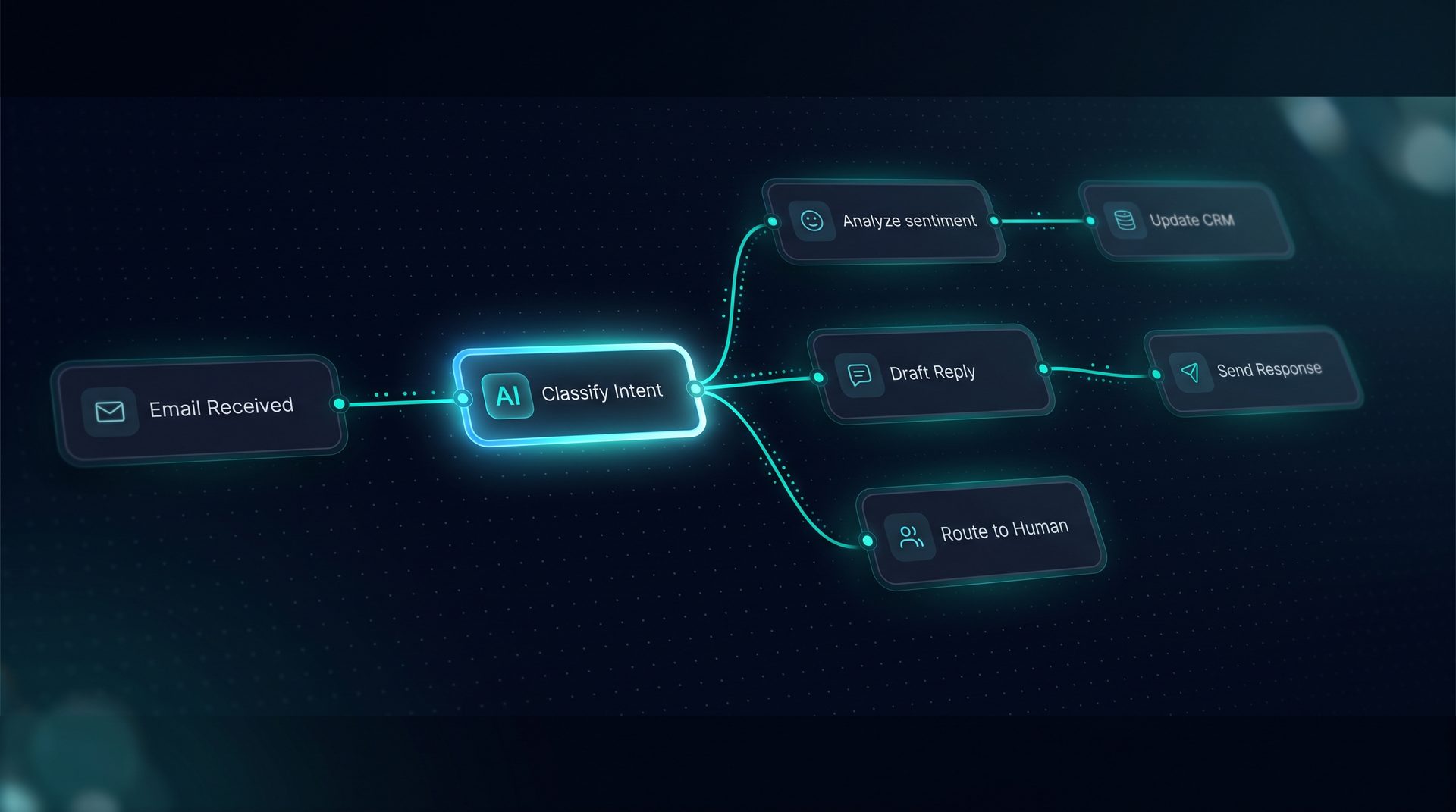
Ai for startups is a pragmatic approach to building practical, repeatable automation without enterprise pricing gates. Early-stage teams need a platform that lets non-developers design workflows, test them, and publish them without waiting on a dev backlog. This guide explains what ai for startups means, why it matters, how it works step-by-step, who should consider it, and when to adopt an open approach versus vendor-hosted solutions.
What ai for startups means
At its simplest, ai for startups is about enabling product and operations teams to ship agent-driven workflows quickly. For ai startups, that means tooling that supports:
- Rapid prototyping of conversational agents and workflows.
- Local development and testing on SQLite and embedded vector stores like Chroma.
- An upgrade path to production-grade Postgres + pgvector when scale demands.
Startups ai often face two choices: use a managed vendor with enterprise pricing gates, or adopt an open source ai app that runs on infrastructure you control. Choosing the latter removes vendor lock-in and lets teams iterate without large platform markups.
Why this matters for startups ai teams
Startups ai teams must move from idea to working workflow inside a single sprint, not a procurement cycle. When teams can assemble agents visually, non-developers can own processes like approvals, customer support routing, and research automation. That reduces developer time spent on wiring connectors and maintains velocity.
Key benefits for ai startups include:
- Faster iteration: Visual builder tools let product managers and ops craft workflows.
- Predictable costs: Pay for model usage and infrastructure, not platform markup.
- Local-first development: Start local, then scale to production databases and vector stores.
Expert tip: Choose a platform that integrates with standard tooling and offers a clear migration path from local stores to production Postgres + pgvector.
How ai for startups works — step-by-step
- Define the repeatable process: Document the steps an agent should perform — e.g., triage inbound emails, fetch knowledge, and route to human review.
- Build visually: Use a drag-and-drop canvas to add agents, retrieval nodes, tool calls, and human-in-the-loop pauses. Inspect per-node settings to set model prompts, tools, and transforms.
- Wire tools: Register REST, GraphQL, SQL, and built-in tools. Test each tool call live and use JMESPath to trim payloads before the model.
- Ingest knowledge: Paste text, upload PDFs, or crawl URLs; the system chunks and embeds documents into a vector store like Chroma locally.
- Test in Playground: Simulate runs, watch a live timeline, and inspect the retrieval debugger to see which chunks return.
- Deploy channels: Publish to an embeddable web widget, an email channel, or expose a Run API endpoint for app integration.
These steps let startups ai teams move from idea to deployed workflow without writing framework code. The visual approach empowers non-technical stakeholders while preserving developer control for tool provisioning and governance.
Who benefits from ai for startups
- Product managers building customer-facing conversational features.
- Ops teams automating approvals, data routing, and support triage.
- Founders who need a defensible migration path from prototype to production.
- Engineers who want an open toolchain built on LangChain and LangGraph without vendor lock-in.
For teams that plan to scale, starting with an open source ai app makes it straightforward to migrate from local SQLite + Chroma to Postgres + pgvector and standard observability exports.
When to choose an open source ai app versus managed vendors
Choose an open source ai app when you want:
- Full control over data storage and PII redaction policies.
- A local development loop that mirrors production behavior.
- No up-front enterprise pricing barriers for early experimentation.
Consider managed vendors when your team needs a turnkey hosted SLA and is willing to accept platform markup for convenience. Many startups ai teams start with an open approach for early velocity and later integrate with enterprise tooling for scale.
DeepForce as a practical example (product reference)
DeepForce exemplifies the open approach for ai startups: a visual agent and workflow builder that runs on your infrastructure, using LangChain and LangGraph under the hood. The platform supports local SQLite + Chroma for rapid iteration and a clear upgrade to Postgres + pgvector for production readiness. DeepForce’s visual tools include a Playground with live streaming runs, a retrieval debugger, and per-node inspectors so teams can see compiled prompts and tool interactions before publishing.
- Build agents from models, prompts, tools, and knowledge without writing JSON.
- Register REST, GraphQL, SQL, and built-in tools, and test them live with retries and rate limits configured per tool.
- Ingest files, crawled sites, and pasted text into vector folders with chunking and embeddings.
This approach keeps early costs predictable: you pay for model usage and infrastructure rather than enterprise product markup. It aligns with the needs of ai startups and startups ai teams that want to keep control while scaling securely.
Migration and governance considerations
When moving from a prototype to production, plan the migration path: move vector stores from Chroma to pgvector, switch local secrets to a Vault or Fernet-backed secrets store, and map observability to OpenTelemetry collectors. Enforce project-level PII redaction, blocked terms, and network allow/deny lists early to ensure compliance as you scale.
Final recommendations
- Start local: prototype on SQLite and Chroma to validate workflows quickly.
- Involve non-developers: use a visual builder so product and ops can iterate independently.
- Plan the upgrade: schedule migration to Postgres + pgvector and add scoped API keys for production.
Adopting an open source ai app strategy gives startups ai teams the speed and governance needed to ship meaningful automation without enterprise pricing gates.