Ai orchestration platform
What an ai orchestration platform is and why it matters
An ai orchestration platform coordinates model calls, agent logic, tool integrations, retrieval, and human handoffs into coherent automated workflows. Teams use an ai orchestration platform to move repeatable processes — approvals, customer support, data routing, and research — from manual steps into controlled, observable runs. Good orchestration reduces handoffs, prevents error-prone copying between systems, and provides an audit trail for governance.
Using an ai orchestration platform matters because modern AI work requires composition: classifiers to route intent, transforms to normalize payloads, model calls for generation, and human-in-the-loop steps for approvals. Without an orchestration layer you risk brittle point-to-point integrations, hidden latency, and unclear ownership of edge cases.
Key capabilities of modern orchestration
- Visual workflow canvas to design flows and subworkflows
- Routers and typed validated edges to control data shapes
- Parallel fan-out and join for concurrent tasks
- Human-in-the-loop pause and live handoff
- Observability with per-step latency, token, and cost breakdown
These capabilities make an ai orchestration platform essential for teams that need reliability and visibility while scaling AI automation.
How an ai orchestration platform works — step by step
- Define triggers and inputs: webhooks, schedules, or inbound email start a run.
- Design the workflow on a drag-and-drop canvas with nodes for agents, model calls, classifiers, and tools.
- Validate edges with typed schemas to guarantee each node receives the expected data shape.
- Configure tool calls (REST, GraphQL, SQL) and set retries, rate limits, and caching policies.
- Add retrieval and RAG: ingest documents, chunk, embed, and retrieve with a similarity debugger.
- Insert pause nodes for human review; route replies back into the workflow.
- Deploy to channels: embeddable web widget, Run API, email channel, or MCP server.
- Monitor runs in the Playground and span tree observability to iterate and tighten governance.
This flow clarifies why an ai orchestration platform is different from a simple scheduler or point tool: it enforces data contracts, integrates tooling, and gives a live observability surface.
Who benefits from an ai orchestration platform
- Product teams building AI features that require multiple model calls and external systems.
- Ops and support teams automating repetitive inquiries with human handoffs for exceptions.
- Compliance and security teams who need audit logs, PII redaction, and allow/deny network lists.
- Data teams that want to run evaluations and score datasets with structured metrics.
If you need a low-code environment that non-developers can use to assemble reliable agents and workflows, an ai orchestration platform is the right layer.
When to choose a visual orchestration approach
Choose a visual ai orchestration platform when you want rapid iteration without writing glue code, when your workflow crosses models and external tools, and when governance and observability are required. Visual composition reduces developer backlog and allows subject matter experts to encode business rules directly.
Expert tip: Use typed validated edges to catch integration regressions early — the canvas should enforce the shape of data flowing between nodes.
Components to look for in evaluations
- Visual Agent Builder: ability to build agents from models, prompts, tools, knowledge and Q&A without JSON.
- Workflow Canvas: routers, loops, parallel fan-out/join, subworkflows, and triggers with per-node inspectors.
- Tool Builder: register and test REST, GraphQL, SQL, and built-in tools with JMESPath projections.
- Knowledge & RAG: ingest multiple file types, chunking, embedding, and a search debugger.
- Deployment Channels: web widget, email, Run API, and MCP server for broad integrations.
- Observability: per-run span tree with latency, tokens, and cost breakdowns.
These features define a complete ai orchestration platform that supports both builders and operators.
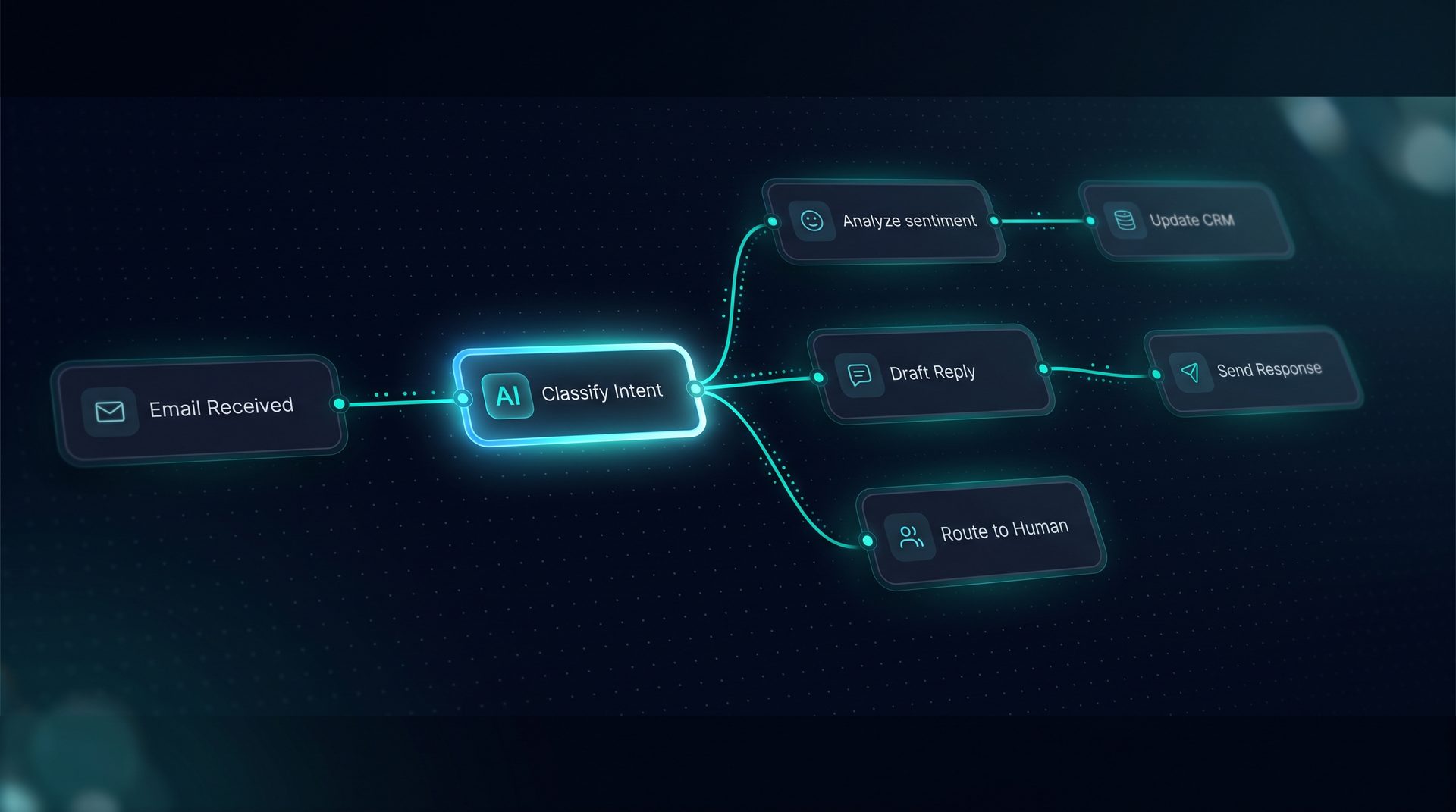
Example: building a customer support automation (illustrative)
- Trigger: inbound email or widget submission.
- Classifier node to determine intent and priority.
- Retrieval node querying a vector store of product documentation.
- Deep Agent composes a response using retrieved chunks and Q&A interceptors.
- Pause node for human approval on flagged intents.
- Tool call to CRM via REST to create a ticket and log metadata.
- Fan-out to notify team channels in parallel and join when all processes complete.
This example shows how an ai orchestration platform coordinates agents, tools, and humans to produce a reliable outcome while preserving an audit trail.
How DeepForce fits the orchestration use case (natural example)
DeepForce implements a visual agent builder and workflow canvas that exposes routers, loops, parallel fan-out/join, human handoff, and a live Playground that lights up nodes during runs. Its Tool Builder supports REST, GraphQL, SQL, and built-ins with configurable retries and SSRF guards. Knowledge ingestion supports text, HTML, PDF, CSV, and JSON files, with a search debugger to inspect retrieval. Deployments include a one-line web widget, inbound email, and a Run API endpoint. DeepForce runs on LangChain and LangGraph components and is self-hosted to keep infrastructure and data under your control.
Using DeepForce as an example, teams can adopt an ai orchestration platform to replace fragile integrations with validated workflows, shorten time-to-production, and keep governance controls centralized.
Final considerations
Adopt an ai orchestration platform when your processes require composition of models, tools, and humans under clear observability and governance. Focus on typed edges, robust tool integrations, and deployment channels that match your operational needs. A well-chosen platform reduces friction between teams and lets you scale automation confidently.