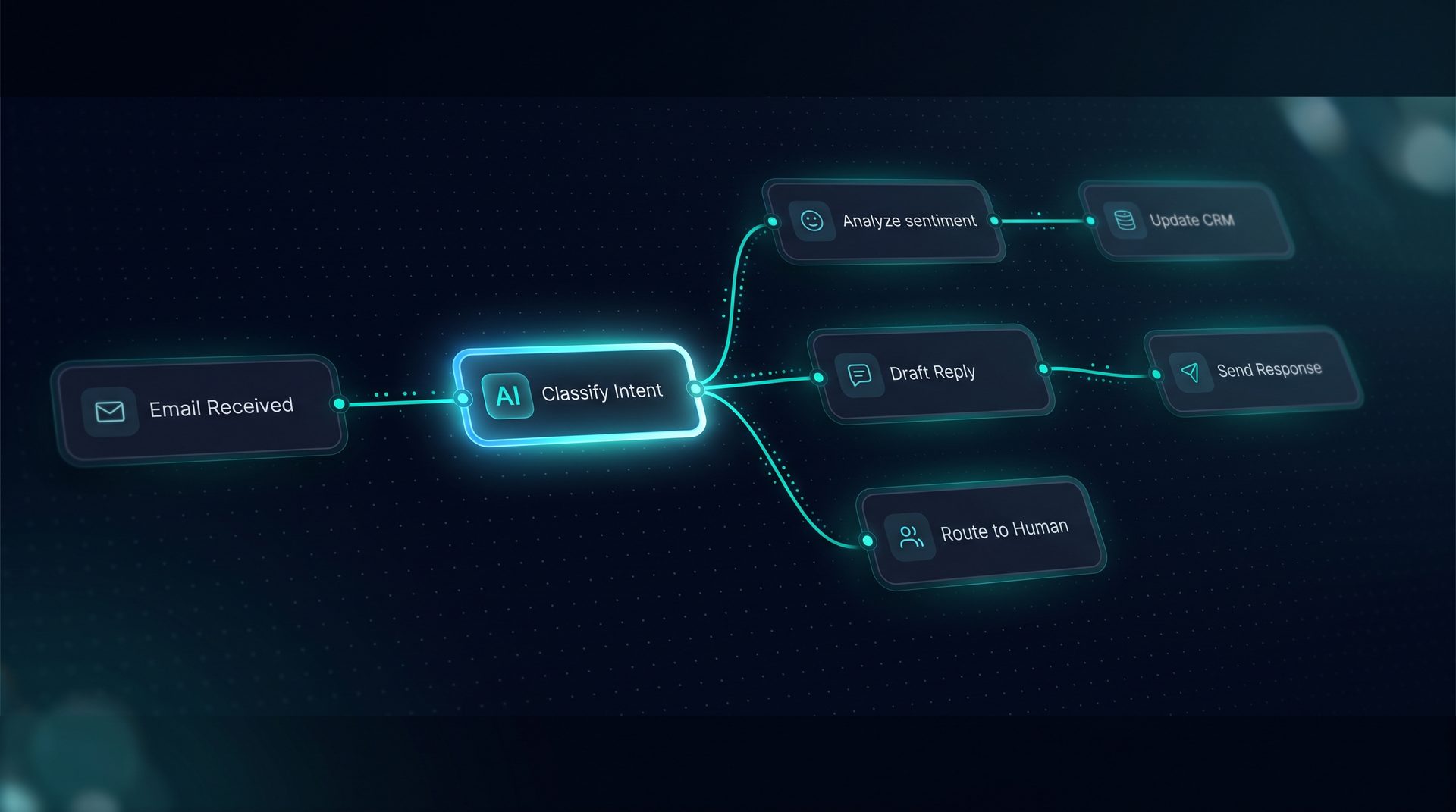
Autonomous agent systems are changing how teams automate repeatable business processes. This guide explains what an autonomous agent is, why guardrails matter, how to design workflows that pause for human review, and how to choose agent software with enterprise governance. Throughout, we use DeepForce as an example platform for building visual agents and multi agent supervisors without writing framework code.
What an autonomous agent is and why it matters
An autonomous agent is software configured to take sequences of actions to complete tasks with minimal human input. In business settings this includes routing approvals, answering support queries, orchestrating integrations, and running research pipelines. When deployed correctly, an autonomous agent reduces manual work and decision latency while maintaining consistent execution.
Why this matters now: organizations increasingly expect fast responses across channels — email, web widgets, and APIs. Agent systems promise scale, but risk data exposure, compliance gaps, and runaway automation unless they include governance.
Expert tip: design with pause points and observability from the start so you can scale confidently.
Core governance concepts for agent engineering
- PII redaction: Remove or mask sensitive fields before logs or external calls.
- Blocked terms and policies: Prevent disallowed outputs across projects and agents.
- Network allow/deny lists: Control outbound endpoints for tools and integrations.
- Budget and quota caps: Limit token usage or API calls per project or workflow.
- Human-in-the-loop: Pause nodes that require human approval before critical actions.
These controls are central to responsible agent engineering and must be enforced at the project level so that policies tighten, never loosen, regardless of who publishes an agent.
How autonomous agent workflows with human review work (step-by-step)
- Define the process: map inputs, outputs, and decision points a non-technical user can follow.
- Build a visual workflow on a canvas: add agents, classifiers, tool calls, transforms, and retrieval nodes.
- Insert pause nodes: mark steps that require human approval or review before proceeding.
- Attach guardrails: enable PII redaction, blocked terms, and network allow/deny at the project level.
- Test in the Playground: run sample cases, inspect the live state schema, and iterate.
- Deploy to a channel: web widget, email inbound trigger, or Run API endpoint.
- Monitor and iterate: use observability spans, token and cost metrics, and audit logs to refine logic.
This sequence blends the strengths of multi agent coordination and single-agent focus. For workflows that require specialist logic, you can wire subagents together on the canvas to form a multi agent supervisor while retaining a single audit trail.
Who should evaluate autonomous agent design with guardrails
- Product managers designing customer-facing automation that must comply with privacy rules.
- Compliance and security teams who require network and data governance for automated processes.
- Ops and support leads who want to reduce repetitive work while keeping approval gates.
- Citizen builders who need agent software that doesn't demand writing framework code.
An organization that needs speed but must meet internal controls should prefer tools that combine visual agent building with project-level governance.
Technical patterns: combining multi agent coordination and human review
- Use a supervisor subagent to route tasks to specialist subagents and add a pause node before external calls.
- Apply JMESPath payload projections on tool calls to trim data and limit exposure before a downstream service sees it.
- Configure per-tool retries, rate limits, and SSRF guards so network allow/deny lists are effective in practice.
- Group tools into named sets and grant them per-project to manage permissions across many agent systems.
These patterns let you build complex automation while preserving control. They are typical practices in agent engineering and fit naturally into an agent software platform that supports visual building and deployable channels.
Observability, audits, and post-deployment controls
Every run should produce a collapsible span tree that shows latency, tokens, and cost per step. Include: named subagent spans, a live activity timeline in a Playground, and exports to OpenTelemetry collectors. Maintain an audit log and entity version history so compliance teams can trace who changed policies or agent logic. Use budget caps to prevent runaway usage and guardrails to block risky outputs.
When to use this approach
- When automation touches regulated data or customer PII and you need enforceable redaction.
- When approvals or high-value actions require human sign-off in the loop.
- When multiple specialist agents must coordinate but a single governance plane must control policies.
- When non-technical teams need to iterate quickly and test live before publishing.
DeepForce as an example solution (reference, not a hard sell)
DeepForce demonstrates these concepts through a drag-and-drop canvas, visual agent and workflow builders, and built-in guardrails. It supports multi agent supervisors, human handoff via pause nodes, PII redaction, blocked terms, network allow/deny lists, and budget caps — all applied at the project level and recorded in an audit log. Deploy workflows to web widgets, email channels, or the Run API while watching runs in the Playground.
Choosing and evaluating agent software
When comparing platforms, ask about: project-level policy enforcement, the ability to insert pause nodes easily, network controls, observability per run, and import/export without leaking secrets. Prefer platforms that integrate with standard stacks (LangChain, LangGraph) and give you control over infrastructure to meet compliance needs.
Final checklist before deployment
- Map decision points and insert pause nodes at critical steps.
- Turn on PII redaction and test with sample cases.
- Configure network allow/deny lists for every tool and integration.
- Set budget caps and quotas per project.
- Validate audit logs and run exports to your observability pipeline.
Final note: A responsible autonomous agent is one that scales work while preserving governance. Start small, observe, and extend policies as workflows mature.