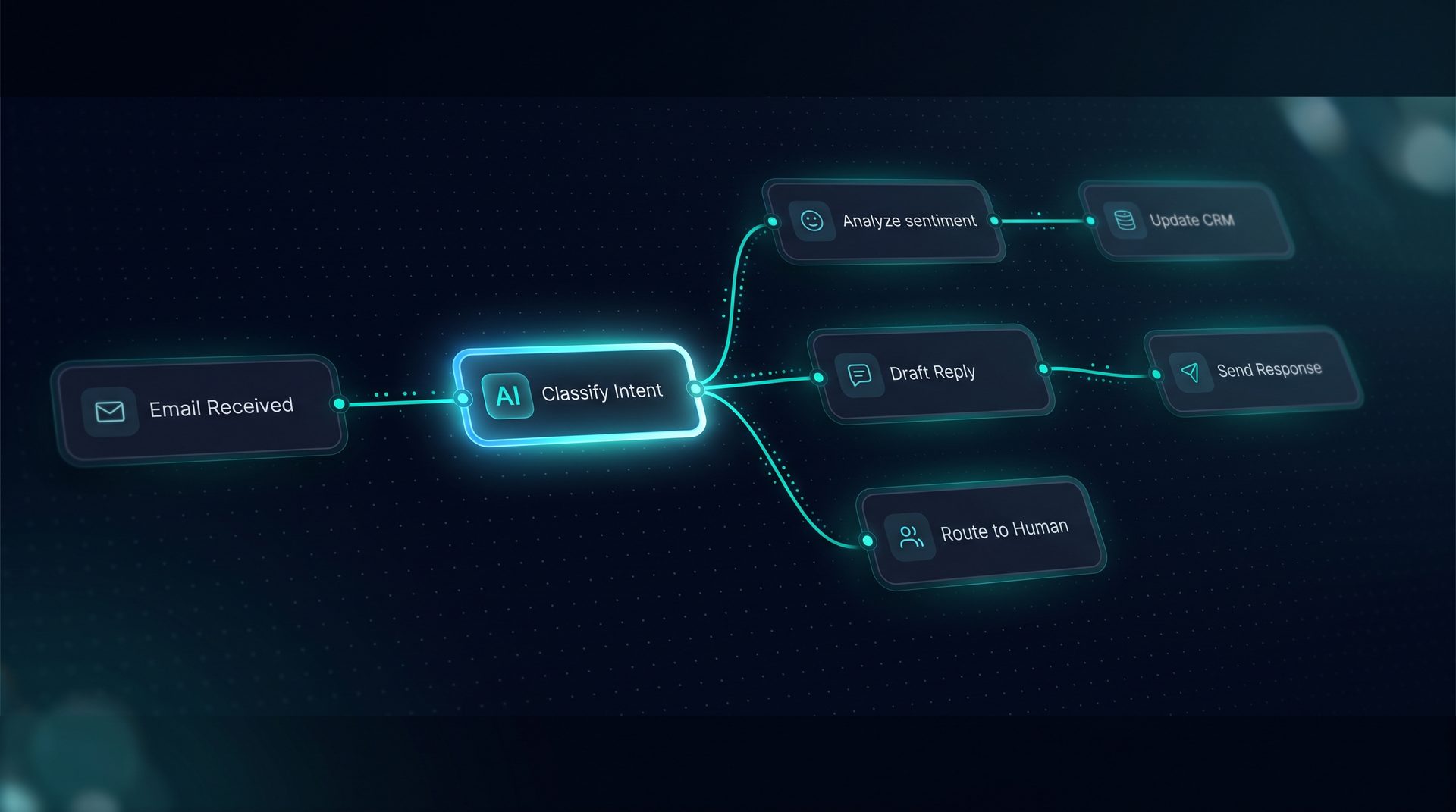
Build ai assistant guides teams to turn existing content into a reliable conversational system. This page explains what a build ai assistant workflow looks like, why knowledge-driven assistants matter, and how to design one that reduces manual support while escalating complex cases to humans.
What is a build ai assistant?
A build ai assistant is a conversational agent trained to answer questions using your organization's own documents, URLs, and files. Instead of relying on broad web data, this architecture uses a knowledge base ai approach: content is chunked, embedded, and stored as vectors so the assistant retrieves only relevant passages. That makes answers specific to your policies, products, and language.
Why this matters: teams that are building an ai assistant capture domain expertise, reduce response time, and keep control over privacy and compliance. For product managers and support leads, the difference between a generic bot and one that uses a vetted knowledge base is measurable in fewer escalations and fewer inaccurate replies.
Why build your own ai assistant rather than use a generic chat tool?
- Greater alignment: responses reference internal docs and approved Q&A.
- Safer outputs: governance like PII redaction and blocked terms apply at the project level.
- Deployment flexibility: connectors to email, web widgets, or API endpoints put the assistant where users already are.
A self-hosted, open-source platform lets you control hosting, integrations, and data. If you aim to make ai assistant behavior auditable and auditable workflows, this is the recommended track.
How a knowledge-driven assistant works (step-by-step)
- Ingest: paste text, upload files (txt, md, pdf, html, csv, json), or point at URLs. The platform chunks content and creates vector embeddings.
- Intercept: define Q&A pairs that short-circuit frequent queries so the assistant returns curated responses before retrieval.
- Retrieve: when a user query arrives, a retriever finds top chunks by similarity and a search debugger shows what was returned.
- Compose: the model composes a response using retrieved snippets, system prompts, and any transformations.
- Handoff: for ambiguous or high-risk queries, the workflow routes to a human-in-the-loop pause or live inbox handoff.
This flow supports building an ai assistant that answers from what you actually know while preserving human oversight where needed.
Who should use this approach?
- Support teams aiming to reduce ticket volume.
- Knowledge managers centralizing product documentation.
- Compliance and legal teams that must control outputs and redaction.
- Product teams building an in-product help widget that must be accurate and traceable.
If your goal is to make ai assistant responses match internal tone and policy, the focus should be on quality of ingestion, curated Q&A, and robust retrieval debugging.
Key components to prioritize when building an ai assistant
- Knowledge ingestion: file types like pdf, md, and html should be chunked and embedded reliably.
- Q&A interception: create Q&A pairs that answer the most common questions without invoking retrieval.
- Search debugger: use tooling that plots chunks by similarity so you can verify what's returned.
- Governance: add project-level PII redaction, blocked terms, and network allow/deny lists.
- Observability: track tokens, latency, and per-step cost so you can optimize prompts and tooling.
Expert tip: Start by exporting your top support tickets and author Q&A pairs for the most frequent issues. This intercepts common traffic and reduces noisy retrieval calls.
Practical example: how to make ai assistant responses precise
- Audit content: identify canonical docs, spec pages, and FAQ entries.
- Create Q&A pairs: author short answers for top 20 queries so the assistant returns deterministic responses.
- Ingest and index: upload files and crawl allowed URLs into a foldered vector store.
- Test with the Playground: run live prompts, inspect the compiled prompt and retrieval using the search debugger.
- Add human handoff: configure pause nodes that send ambiguous cases to an inbox for humans to resume the session.
This process helps teams make ai assistant answers both accurate and context-aware without deep engineering work.
Integrations and deployment channels
- Web widget: embed an assistant with a single-line snippet to serve product users.
- Email: connect inbound email triggers to run workflows and reply from the same channel.
- Run API: expose a POST /run endpoint for server-side or mobile integration.
- MCP server: offer the assistant as an endpoint other clients can call.
These channels let you place a build ai assistant where customers ask questions, from product pages to support email.
Common pitfalls and how to avoid them
- Over-reliance on raw retrieval: always combine retrieved context with Q&A pairs and system prompts.
- Missing governance: configure PII redaction and blocked terms before production.
- No observability: monitor token usage and latency to keep costs predictable.
Why DeepForce fits teams building an ai assistant
DeepForce's visual agent and workflow builders let non-technical users assemble agents, add knowledge and Q&A pairs, test in a Playground, and deploy to widget or email. The search debugger and human-in-the-loop features make it straightforward to tune accuracy and hand off when needed. Use these capabilities as a model for how to design your own assistant without custom framework code.
When to start building an assistant
Start when you have a repeatable set of user questions, a catalog of canonical documents, and a stakeholder who can approve Q&A pairs. Early investment in curated Q&A, retrieval debugging, and governance yields the best reduction in support load.
Next steps
- Collect your top support tickets and canonical docs.
- Author Q&A pairs for frequent queries.
- Use a visual builder to map retrieval, human handoffs, and deployment channels.
Building an assistant from your own content means you get predictable, policy-aligned answers. When you build ai assistant systems with a strong knowledge base ai strategy, teams see fewer escalations and clearer ownership of conversational outcomes.