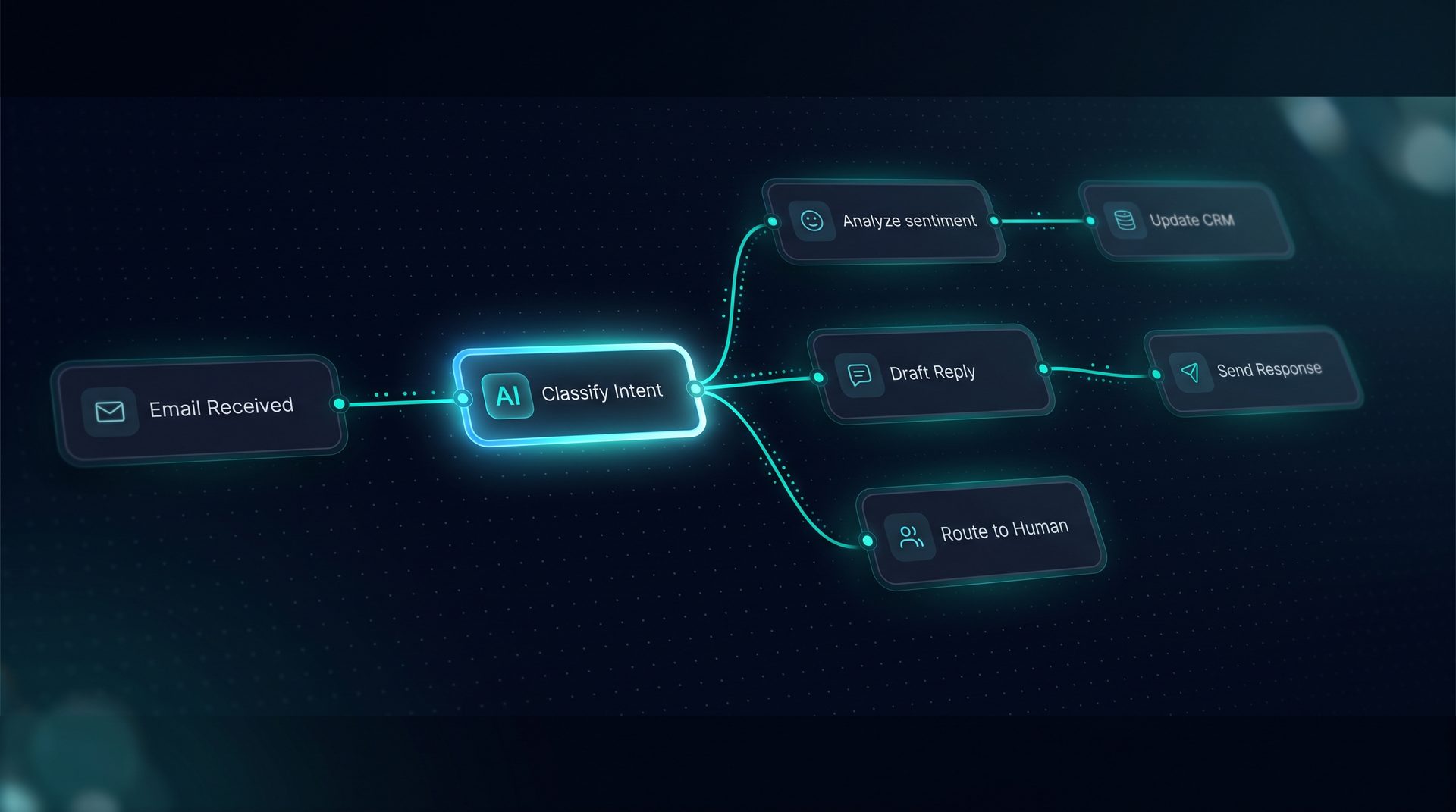
An open source ai app gives teams control over data, deployment, and governance while enabling non-developers to build production agents. This article explains what an open source ai app is, why ownership matters for teams, how visual agent building and deployment work step-by-step, who benefits most, and when to choose a self-hosted agent platform.
What an open source ai app is
An open source ai app is software released under an open license that lets you inspect, modify, and host the code on your own infrastructure. For many teams, choosing an open source ai app reduces vendor lock-in and grants access to an ecosystem of integrations. The phrase open source ai app covers everything from agent software libraries to full visual platforms that let product, support, and ops teams assemble automated workflows without writing framework code.
- Open licensing (MIT) enables modification and redistribution.
- Self-hosting keeps data inside your network.
- Visual builders let non-engineers create agents and workflows.
Expert tip: an ai open source project that includes deployment channels, observability, and governance tools reduces integration friction for enterprise teams.
Why ownership and self-hosting matter
Ownership matters because control over data and security policies is non-negotiable for regulated industries. Running an open source ai app on your infrastructure lets you apply network allow/deny lists, PII redaction, and project-level quota caps. If your team needs to move tools or workflows between environments, import and export JSON bundles preserve configuration while keeping secrets safe.
- Data residency: run the stack on your cloud or on-premise.
- Governance: enforce blocked terms and audit logs at the project level.
- Portability: move agents between projects with JSON exports.
These governance controls are often missing from hosted ai marketplaces or proprietary agent platforms that abstract infrastructure away.
How a visual agent platform works — step-by-step
- Define the process: map the repeatable workflow you want to automate — support routing, approvals, or research summaries.
- Build the agent: use a drag-and-drop canvas to combine models, tools, knowledge sources, and Q&A pairs. The visual canvas shows a compiled prompt before publish.
- Test in the Playground: run live tests with a streaming inspector that highlights active nodes and shows per-step token usage.
- Publish to a channel: deploy as a web widget, an email trigger, a Run API endpoint, or an MCP server connection.
- Observe and iterate: review run traces, token costs, and evaluation results to refine prompts or add human-in-the-loop checkpoints.
This flow demonstrates how a modern agent software product makes automation accessible to non-developers while retaining developer controls for tools and integrations.
Core capabilities to expect from an open source ai app
- Visual Agent Builder: author agents using forms, not raw JSON, and preview compiled prompts.
- Visual Workflow Builder: drag-and-drop nodes with routers, loops, and human handoffs.
- Tool Builder: register REST, GraphQL, SQL, and built-in tools with SSRF guard and retries.
- Knowledge and RAG: ingest documents, chunk, embed, and debug retrieval results.
- Deployment Channels: web widget, email, Run API, MCP server, and triggers.
- Observability: span trees with latency, token, and cost breakdowns; OpenTelemetry export.
These features show why teams select an agent platform that is also an ai open source project: you get enterprise controls without losing flexibility.
Who should choose an open source ai app
- Product teams that need interactive, embeddable agents via a web widget or API.
- Support teams who want automated routing, canned Q&A, and human-in-the-loop escalation.
- Engineering groups that require self-hosting, network allow lists, and per-project API keys.
- Research teams that need to ingest proprietary documents, build RAG pipelines, and inspect retrieval.
If your organization prioritizes data control, compliance, or the ability to extend the codebase, an open source ai app is a logical choice over closed agent marketplaces.
When to use an open source ai app versus a hosted ai marketplace
Use an open source ai app when you need:
- Full control over hosting and secrets.
- Project-level governance (PII redaction, blocked terms).
- Import/export portability between projects.
Consider a hosted ai marketplace when speed of onboarding is the only constraint and you can accept a managed environment. For teams balancing autonomy and usability, an agent platform that is ai open source and MIT-licensed provides a middle path.
Example: building a deployable agent without code
A typical non-technical user can build a customer support workflow by:
- Dragging an agent node and selecting a base model.
- Adding a tool node that calls an internal ticketing REST API and configuring retries and caching.
- Connecting a retrieval node that ingests product docs and Q&A pairs.
- Placing a pause node for human approval on escalations.
- Publishing to the web widget or Run API with allowed origin restrictions.
This example shows how an agent software product that is open source ai app friendly lowers the barrier for teams to ship automation.
How to evaluate candidate projects
- License: prefer MIT for commercial flexibility.
- Integrations: ensure REST, GraphQL, SQL, and MCP support match your stack.
- Observability: look for token and cost tracing and OpenTelemetry export.
- Governance: check for PII redaction, blocked terms, and audit logs.
Choosing the right agent platform means balancing developer ergonomics with non-technical authoring capabilities.
Conclusion
An open source ai app lets teams own their automation stack while offering the usability of a visual agent platform. With features like visual builders, tool registration, RAG, and multiple deployment channels, teams can scale workflows without giving up control. If ownership, portability, and governance are priorities, adopt an open source agent software that supports both non-engineer workflows and developer-grade integrations.