Create Your Own AI
This guide explains how to create your own ai in a focused, practical way for beginners who already understand basic AI concepts. If you read the parent guide on building AI systems, treat this as the hands-on roadmap to move from idea to working system. The phrase create your own ai appears early because this page drills into scoping, prototyping, interfaces, and iteration — the concrete steps that make creating your own ai achievable.
Start With a Narrow, Testable Job
When people ask how to create my own ai, the most common mistake is starting too broad. Begin with a single, measurable task: categorize incoming messages, summarize meeting notes, answer a constrained set of product questions, or extract structured data from documents. A narrow job reduces data needs and lets you validate approaches quickly.
Key steps:
- Define the job in one sentence and a success metric.
- List inputs and desired outputs; capture edge cases.
- Determine acceptable failure modes and recovery strategies.
Notes: Results can vary by approach and data. Outcomes may improve with iteration but are not guaranteed on first try.
Choose Assistant Versus Agent
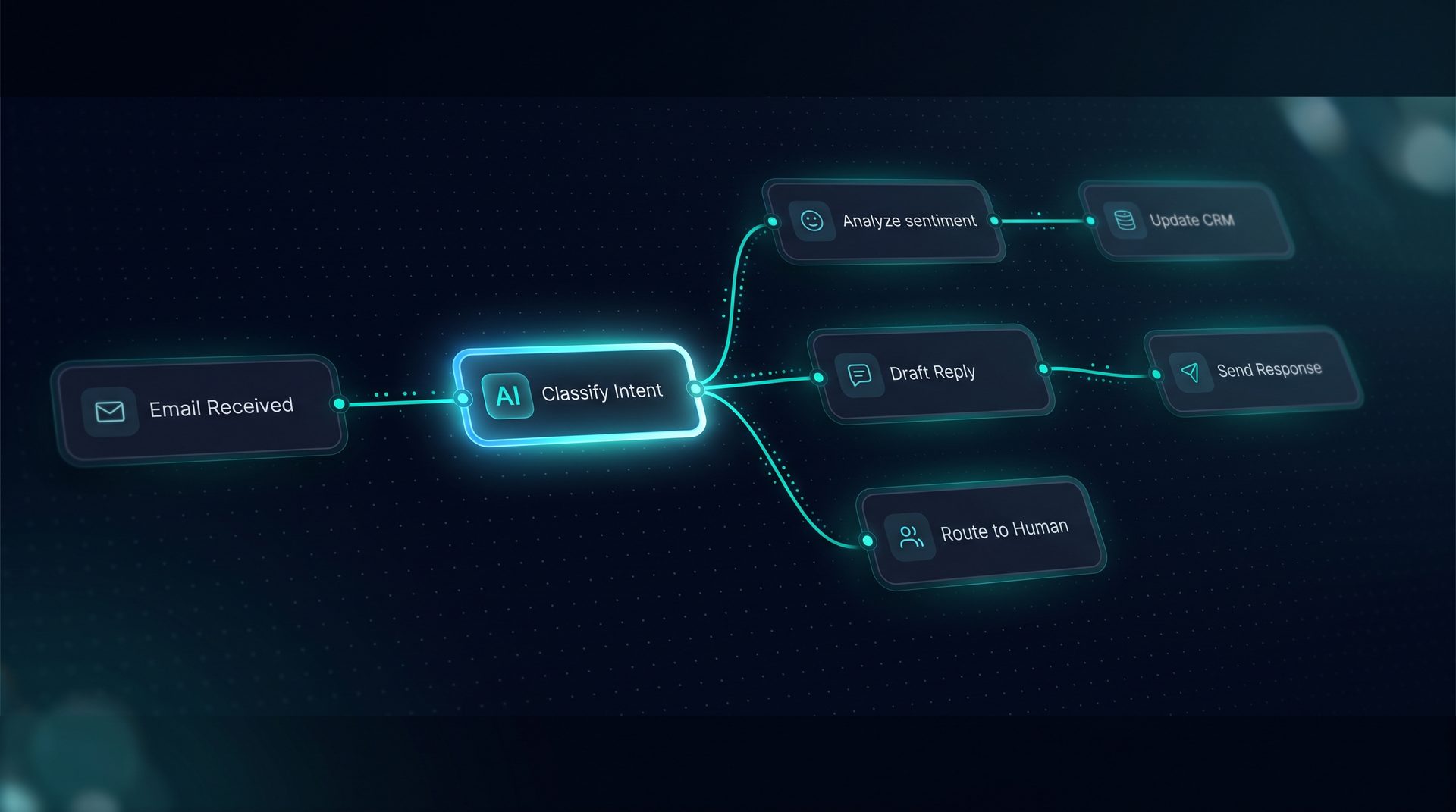
A crucial design choice when creating your own ai is whether the system is an assistant (responds to prompts and supports a human) or an agent (performs sequences of actions autonomously). Both models can be part of creating an ai, but they imply different architectures and safety tradeoffs.
- Assistant: simpler integration, relies on human-in-the-loop, easier to scope and supervise.
- Agent: requires action planning, tools or APIs to interact with external systems, and more careful monitoring.
If you want to create my own ai quickly, start with an assistant pattern; move to agent-style interactions after validating core capabilities.
Pick an Interface: Chat, API, or Embedded
How users interact matters for adoption and technical design. Popular interfaces when making your own ai include chat-style conversational UIs, REST APIs for programmatic access, and embedded modules inside existing software.
Consider:
- Chat UI: good for exploratory workflows or support tasks.
- API: best for integrating AI into automated pipelines or product features.
- Embedded: useful for in-app guidance and contextual assistance.
Design for observability so that when you are creating an ai you can collect usage logs and errors without compromising privacy.
Data Strategy: Minimal Viable Dataset
Creating your own ai does not always require massive datasets. For many narrow jobs, a curated set of examples and a handful of labeled edge cases are enough to validate a direction.
Steps to build a dataset when creating your own ai:
- Collect representative inputs from real workflows.
- Label outputs or correctness indicators for a validation split.
- Create a set of hard examples that illustrate common failure modes.
If a task relies on knowledge outside your data, consider retrieval augmentation or structured knowledge sources to supplement training or prompting when making your own ai.
Prototype With Iterative Prompts or Fine-Tuning
There are two common prototyping routes for creating an ai: prompt-driven prototypes and model fine-tuning.
- Prompt-driven: build templates, few-shot examples, and structured prompts to guide responses. This is the fastest way to test whether the approach works for your task.
- Fine-tuning or supervised training: appropriate when you have a stable dataset and need consistent, high-quality outputs.
When creating an ai, begin with prompt-driven experiments to learn error patterns. Move to fine-tuning or supervised models once the behavior is well-understood.
Design For Feedback and Iteration
Creating an ai is an iterative process. Expect multiple cycles of user feedback, error analysis, and improvement.
A repeatable iteration loop when creating your own ai:
- Deploy a prototype to a small user group.
- Collect failures and user corrections.
- Analyze errors to identify root causes: prompt design, missing data, model limitations, or interface issues.
- Implement targeted fixes: more examples, revised prompts, or added retrieval.
- Re-deploy and measure change against the original metric.
This loop helps when creating your own ai because it focuses effort on the highest-impact changes and avoids over-engineering early on.
Safety, Guardrails, and Observability
Even for narrow tasks, design guardrails. Decide what outputs are allowed and how to handle uncertain answers. Use simple approaches when making your own ai:
- Add confidence signals or trigger human review when uncertain.
- Sanitize and filter unsafe or disallowed content.
- Maintain logs and metrics that show usage patterns and errors.
These practices reduce risk and help teams trust the system as they scale from creating your own ai prototype to a production system.
Cost-Effective Choices and Tradeoffs
When creating your own ai, tradeoffs matter: latency vs. accuracy, compute vs. complexity, and time-to-iterate vs. robustness. Early on, favor options that let you iterate quickly and learn user needs. Prototype with cheaper compute and higher-latency configurations if that accelerates the feedback loop; optimize later for production.
Choosing to build my own ai from scratch implies more engineering but greater control. Using configurable models or retrieval-augmented strategies can reduce data needs while still enabling strong performance.
Example Roadmap: From Idea To Working System
- Week one: define the job, collect initial examples, choose assistant or agent pattern.
- Week two: prototype prompts, build a simple chat or API interface, run internal tests.
- Week three: deploy to a pilot group, collect errors and user feedback.
- Week four and beyond: iterate on prompts, add retrieval or fine-tuning, harden guardrails and observability.
This phased approach helps when making your own ai because it breaks the project into measurable milestones and keeps focus on the user problem rather than idealized capabilities.
When To Move Beyond The Prototype
Consider upgrading from prompt prototypes to supervised training when the prototype meets baseline performance but still fails predictable categories of examples. If the system must perform reliably at scale or take autonomous actions, invest in additional validation, safety reviews, and operational tooling before broad rollout.
Conclusion
Creating your own ai is a sequence of scoped decisions: choose a narrow job, decide assistant versus agent, pick an interface, prototype with prompts, collect targeted data, and iterate using feedback. Focus on testable milestones and observable outcomes to make progress quickly. Remember that results can vary and improvements often come from repeated refinement rather than a single change.
Related topics such as model selection, prompt engineering, and agent orchestration are covered in sibling and related clusters for deeper technical details.