ai agent builder
This guide focuses tightly on the ai agent builder decision: when to use a visual canvas or a code-first route, how a no code agent builder and no code ai builder change development velocity, and the specific technical tradeoffs that affect tooling, testing, governance, and deployment. The ai agent builder term is used here to examine concrete mechanisms and evaluation criteria rather than introductory definitions.
When Visual Canvases Accelerate Delivery
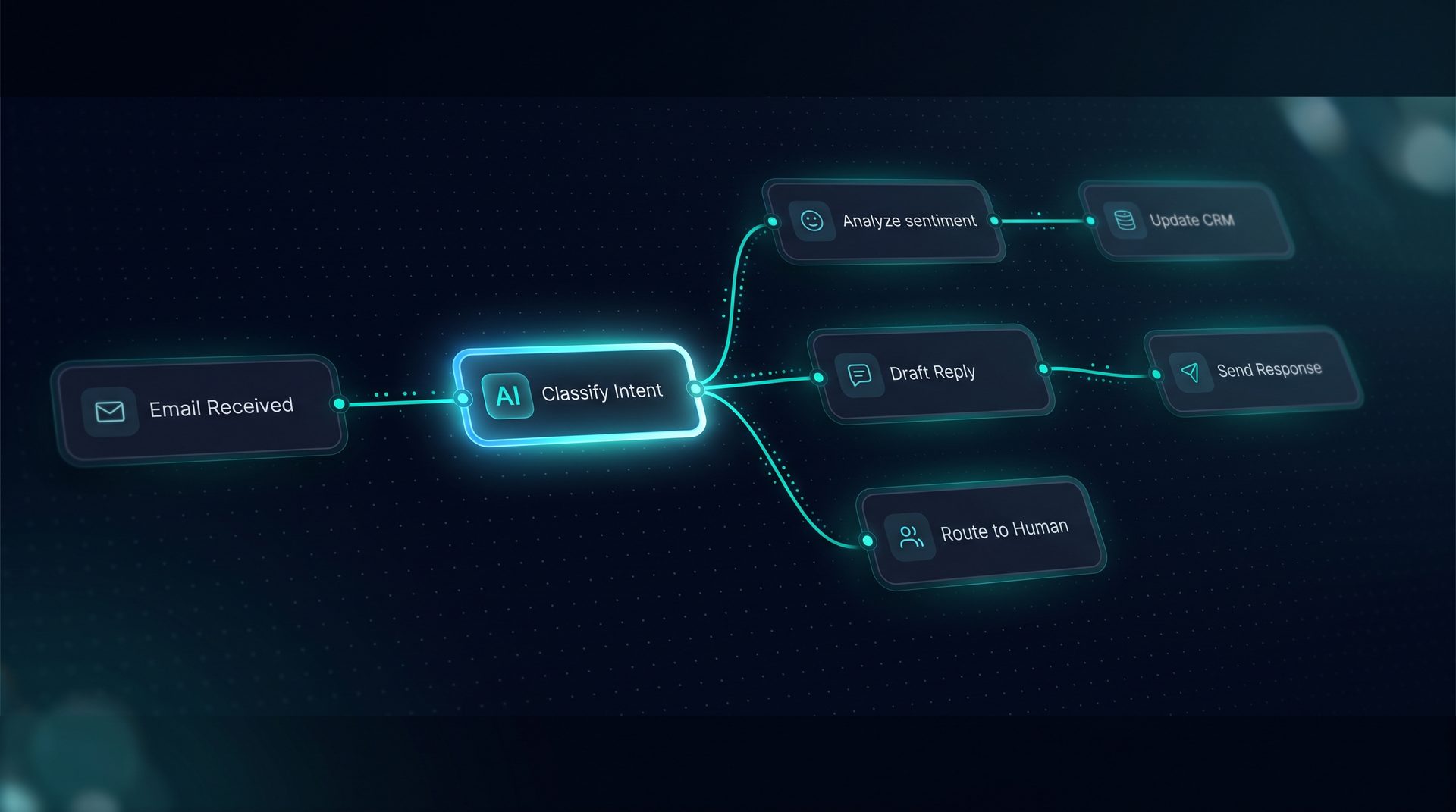
A visual or no code agent builder offers a canvas for connecting capabilities, adding heuristics, and wiring tool integrations without editing source code. Common advantages include:
- Faster prototyping: drag-and-drop flows let teams validate behavior and interaction models more rapidly than iterating on code scaffolding.
- Lower barrier to entry: product managers, domain experts, and less-experienced engineers can assemble workflows and tune prompts in a shared interface.
- Observable flow logic: graph views expose sequence, branching, and tool calls more directly than scanning procedural code.
How that acceleration actually appears in practice depends on how the visual canvas handles these core concerns:
- Tool integration model — does the canvas provide declarative connectors for APIs and data sources, or require embedding custom code? Declarative connector libraries increase speed but can constrain edge-case handling.
- Prompt and policy management — can prompts be versioned, parameterized, and scoped to nodes? Good UIs let non-developers maintain prompts while preserving dev oversight.
- Testing primitives — does the visual editor include unit and scenario testing? A no code agent builder should allow regression testing of flows and mock tool responses.
Note: Visual acceleration can vary between projects — a visual canvas may speed simple workflows but slow projects needing complex logic or bespoke integrations.
When Visual Is Most Effective
- When the agent orchestration is primarily flow-based (if/then branches, user intents mapped to tools).
- When domain experts need to iterate on prompt templates or response routing directly.
- When deliveries need rapid user-facing prototypes or internal demos.
Why Code Still Matters
A code-first ai agent builder remains essential when projects need fine-grained control, nonstandard integrations, or advanced data handling. Code offers:
- Full expressiveness for complex algorithms, custom state handling, and optimized performance paths.
- Integrations with existing CI/CD, testing frameworks, and observability stacks.
- Easier collaboration for engineering teams using version control, code reviews, and linting.
Key engineering tradeoffs to evaluate:
- Extensibility: can the agent platform support adding packages, native libraries, or compiled modules? If not, code may be required.
- Reproducible tests: code ecosystems give mature unit/integration test frameworks; a no code ai builder must provide comparable testing hooks.
- Debuggability: in code you can instrument execution at arbitrary granularity; visual editors must offer equivalent inspection features.
Tooling and Integration Patterns
Both visual and code-first ai agent builder approaches must handle tools, knowledge, and state. Consider these integration patterns and what to demand from a platform:
- Connector Catalog: a curated set of connectors for databases, search indexes, and external APIs, ideally pluggable without losing observability.
- Tool Invocation Contracts: a clear schema for how the agent calls tools (inputs, outputs, error modes) and how the platform tracks those calls for auditing.
- Knowledge Access: support for vector search, document retrieval, and context windows; the agent builder should make it explicit how knowledge is retrieved and cached.
- Secrets and Credentials: secure credential management for connectors, with scoped access controls and audit trails.
For a no code agent builder, inspect whether connectors allow parameterized queries and pagination, or if they assume simple one-shot calls, which can limit realistic use cases.
Testing Strategies for Agents
Testing agents is different from testing traditional apps because agents combine LLM-driven responses, tool calls, and environmental state. An ai agent builder should enable:
- Scenario testing: scripted end-to-end scenarios with deterministic tool mocks to assert expected tool calls and final state.
- Unit testing for nodes: small, isolated node tests that validate prompt outputs and branching decisions given mock inputs.
- Regression testing for prompt changes: capture baseline outputs and compare after prompt edits; platforms should allow snapshot testing while acknowledging conversational variability.
- Load and failure testing: simulate slow or failing tools to observe agent behavior under degraded conditions.
Testing features to look for in both visual and code routes include test fixtures, mocking capabilities, and CI integration so tests run automatically on change.
Governance, Observability, and Safety
Governance is often the decisive factor in choosing between visual and code-first ai agent builder methods.
- Policy Enforcement: platforms should allow admins to enforce safety policies, control allowed connectors, and restrict sensitive tool calls. Visual editors must expose the same policy hooks as code APIs.
- Auditing: every tool call, prompt variant, and decision path should be logged with context so teams can investigate outcomes and attribution.
- Explainability: tracing why an agent chose a tool or responded in a certain way requires traceable decision logs and human-readable rationales attached to checkpoints.
If an ai agent builder's visual canvas obscures these governance controls, the organization may be forced back to code to regain accountability.
Deployment and Operations
Deployment choices affect how agents are managed in production. Evaluate these operational aspects:
- Environment parity: can flows defined in a no code agent builder be exported to version-controlled artifacts for staging and production parity?
- Rollback and versioning: look for versioned artifacts, rollback options, and clear migration paths.
- Monitoring: real-time telemetry on tool latency, error rates, and agent response quality helps spot regressions.
Operational preferences often drive hybrid approaches: use a visual canvas for design and early iterations, then translate stable flows to code artifacts for production hardening.
Hybrid Approaches — Best of Both Worlds
Many organizations adopt a hybrid: rapid iteration in a visual no code agent builder, then gradual replacement or augmentation with code for complex modules. Effective hybrid patterns include:
- Exportable definitions: the platform exports flow definitions as code-like artifacts so engineers can import and extend them.
- Pluggable custom nodes: developers can add code-backed nodes that the visual canvas can call, preserving speed without sacrificing extensibility.
- Shared prompt repositories: prompts and policies are managed centrally and referenced both by the canvas and code modules to avoid drift.
This hybrid allows domain experts to iterate while engineering retains control over critical paths.
Concrete Evaluation Checklist
When comparing ai agent builder options, evaluate on these dimensions:
- Integration breadth and depth (connectors, custom code hooks)
- Testing support (scenario, unit, regression, failure)
- Governance (policy enforcement, audit logs, RBAC)
- Observability (traceability, metrics, debugging tools)
- Exportability and version control (can artifacts move to code?)
- Collaboration features (shared prompt libraries, role separation)
Important to know: outcomes can vary by project and organization. A visual no code ai builder may reduce time to prototype but can introduce limits that require migration to code later. Expect variability and plan for potential transitions.
Conclusion
Choosing between a visual ai agent builder and a code-first approach is not about which is categorically better but about matching project needs to platform capabilities. For fast prototyping and cross-functional iteration, a no code agent builder or no code ai builder canvas can speed outcomes. For complex integrations, strict governance, and production reliability, a code-first agent platform remains indispensable. Hybrid patterns often provide pragmatic balance: iterate visually, harden with code where necessary, and ensure testing, observability, and governance remain consistent across both paths.