ai automation examples
This page focuses on practical, repeatable ai automation examples that appear across operations, research, and data work. If you already understand the basics of automation and machine learning from the parent pillar, this deep-dive shows concrete ai for automation patterns, the mechanisms that make them work, common failure modes, and implementation tradeoffs. The phrase ai automation examples appears throughout to keep focus on operational patterns you can evaluate and adapt.
Why pattern-level ai in automation matters
When people evaluate automation and ai, they often jump to tools or models instead of patterns. A pattern is a repeatable design: how data flows, how decisions are scored, and how humans intervene. Good ai for automation patterns reduce manual effort, make outcomes more consistent, and make failure modes easier to observe. Poor patterns create hidden drift, opaque errors, and brittle workflows.
Core pattern categories
- Decision routing: use ai to triage or route approvals and tasks.
- Knowledge answering: use ai to respond to repeated questions or summarize documents.
- Data sync and reconciliation: detect and suggest fixes for mismatched records.
- Research briefing: gather and condense evidence into actionable briefings.
Each pattern below is shown with mechanism, example, success factors, and common failure modes.
Decision routing: triage and approvals
How it works
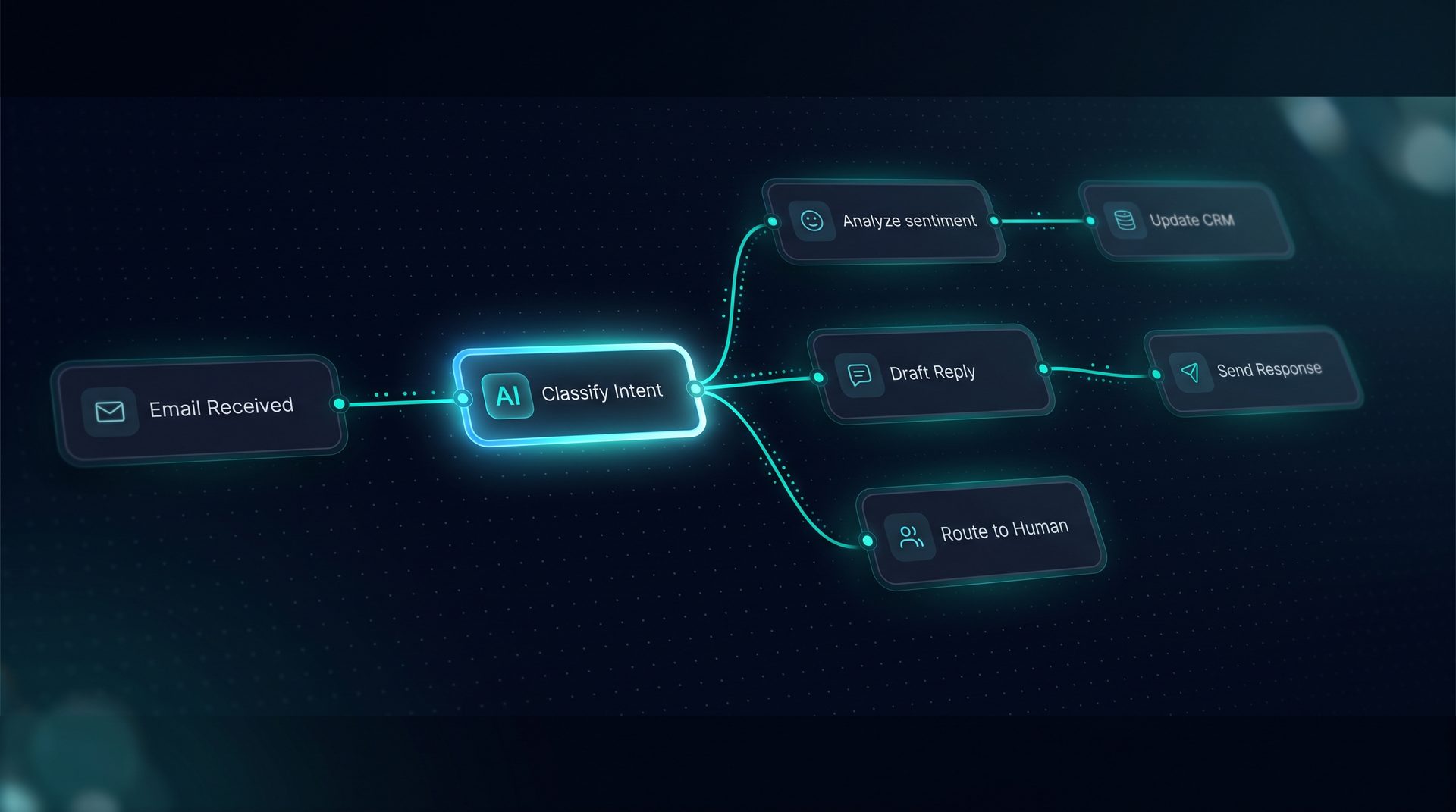
Decision routing uses classification or ranking models to assign items to queues, approvers, or priority bands. The model consumes structured fields and unstructured text, outputs a discrete route or score, and that output drives routing rules.
Example ai automation examples
A claims triage system that reads incoming descriptions and supporting attachments, predicts the specialist team and urgency, and routes the case to a human queue with a suggested SLA.
What makes it succeed
- Clear labels for training: historical routing decisions with consistent human rationale.
- Human-in-loop checks on low-confidence predictions to collect corrections for retraining.
- Feature signals that reflect human considerations (e.g., account age, keywords, attachments).
Common failure modes
- Label drift: historical routing reflects outdated policy or individual reviewer bias, so the model reproduces past errors.
- Overconfidence: the model assigns high-confidence routes to rare or novel cases.
- Latency issues when models add too much processing time to near-real-time routing.
Note: Patterns may improve throughput but outcomes can vary by context. Results may change over time and require monitoring and iteration.
Knowledge answering: handling repeated questions
How it works
These patterns combine retrieval mechanisms and model-based generation. A retrieval layer finds relevant documents or precedent, then a generator composes a concise answer or suggested response.
Example ai automation examples
An internal support assistant that answers common IT and HR questions, suggesting standard replies and surfacing policy passages. It highlights sources and confidence scores so agents can verify.
What makes it succeed
- A curated, versioned knowledge base so retrieved passages are authoritative.
- Retrieval-augmented generation that exposes source snippets to reduce hallucination risk.
- Escalation triggers that route ambiguous or low-confidence prompts to humans.
Common failure modes
- Hallucination: the generator invents unsupported details when retrieval is weak.
- Outdated knowledge: answers reflect deprecated policies unless the content syncs frequently.
- Overuse without guardrails: users may accept generated answers without verification.
Data sync and reconciliation: keeping systems consistent
How it works
This pattern detects discrepancies between data sources, predicts the likely canonical value, and proposes reconciliations or automates fixes with approvals. Models can learn typical mapping rules and anomaly signatures.
Example ai automation examples
Cross-system customer record matching that suggests merges or flagging possible duplicates across CRM and billing, with a suggested merge action and human review for ambiguous cases.
What makes it succeed
- High-quality matching features like normalized names, email hashes, and behavioral signals.
- Conservative automation: only auto-merge when confidence exceeds a high threshold, otherwise suggest human review.
- Audit logs and rollback support to recover from incorrect automated changes.
Common failure modes
- False merges that corrupt historical tracking and reporting.
- Missing upstream transformations that make records appear dissimilar though they represent the same entity.
- Lack of provenance makes it hard to trace why a suggestion was made.
Research briefings: condensing evidence into actions
How it works
Research briefings use retrieval to gather relevant literature, then classification and summarization to turn raw documents into concise findings, proposed experiments, or decision pros/cons.
Example ai automation examples
A briefing generator that collects previous incident reports, postmortems, and changelogs to create a short summary of root causes and suggested mitigations for a recurring outage.
What makes it succeed
- High-quality, tagged sources so retrieval surfaces relevant context.
- Templates for briefings that ensure consistent structure and traceability.
- Reviewer workflows where subject matter experts validate and augment generated content.
Common failure modes
- Over-summarization that omits critical nuance.
- Merging contradictory sources without flagging uncertainty.
- Trust placed in summaries without source verification.
Cross-cutting design choices and tradeoffs
Human-in-loop vs full automation
- Human-in-loop increases safety and helps collect labeled corrections, but adds latency and operational cost.
- Full automation gains scale but requires stronger confidence calibration, better monitoring, and robust rollback.
Confidence thresholds and explainability
- Use calibrated confidence thresholds to decide when to auto-act, when to suggest, and when to escalate.
- Provide simple explanations or provenance for each suggestion; even short signals about which features influenced a route improve trust.
Monitoring and feedback
- Continuous evaluation on fresh data prevents silent drift. Monitor error rates and business metrics tied to the automation.
- Capture corrective feedback into retraining pipelines so models evolve with policy and user behavior.
Implementation checklist for ai for automation patterns
- Define the decision boundary: what the automation must do and where humans remain responsible.
- Gather representative historical data, including edge cases and corrections.
- Choose conservative automation thresholds to limit harm while enabling efficiency gains.
- Build transparent outputs: show sources, confidence, and suggested actions.
- Create a lightweight feedback loop to capture corrections for future training.
- Instrument monitoring for performance, user override rates, and downstream business metrics.
Edge cases and when not to use ai in automation
- Rare high-risk decisions with limited training data often benefit from structured human workflows instead of model-driven automation.
- Legal or regulatory decisions that require explicit human sign-off should use ai to assist rather than replace human judgment.
Conclusion
These ai automation examples show that the value lies in thoughtfully combining models, retrieval, and human workflows. Whether the pattern is decision routing, knowledge answering, data reconciliation, or research briefing, success depends on clear objectives, conservative automation boundaries, explainability, and continuous feedback. Use these patterns as templates and adapt them to your data, governance, and risk tolerance.
Important to know: Results from ai in automation can vary by dataset, organizational context, and model choice. Outcomes may change over time and require ongoing monitoring and iteration.
Related pattern summaries
Below are short pointers to related cluster topics for further study: ai process automation details, ai use cases in compliance, and ai for it operations orchestration.