AI Automation Software
This page focuses on how to evaluate ai automation software when you are beyond the basics. If you already understand what ai process automation and ai workflow automation do in general, this deep-dive explains the mechanisms, tradeoffs, and practical signals to look for when assessing a vendor or internal project.
In this article the phrase ai automation software appears repeatedly because it names the exact capability being evaluated. The first paragraph establishes that ai automation software often combines learned models and deterministic rules; the rest of the guide compares architectures, examples, operational concerns, and the questions to ask when choosing an ai automation platform.
What "ai automation software" actually combines
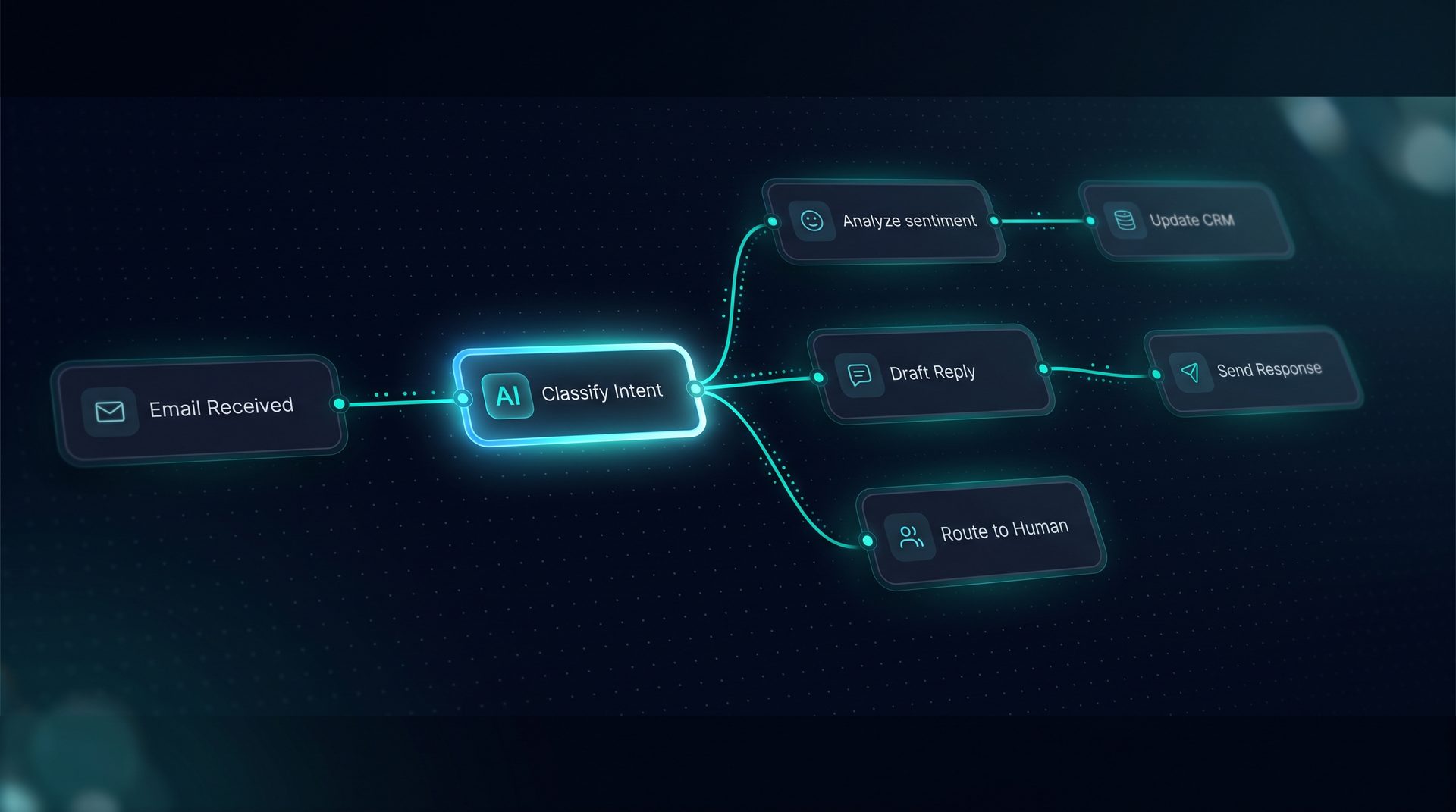
ai automation software typically sits at the intersection of several components:
- Model inference: machine-learned models that perform classification, extraction, prediction, or ranking.
- Rule and orchestration layer: deterministic logic that sequences tasks, enforces policies, and triggers human reviews.
- Integration adapters: connectors to data sources, messaging, APIs, and downstream systems.
- Observability and feedback: logging, monitoring, and human-in-the-loop interfaces for corrections.
Understanding which of these components a candidate ai automation platform provides, versus what you must build, is essential to scope and cost estimates.
AI vs rules: a practical distinction
Many offerings marketed as ai automation software are primarily rule engines with an added classifier. Distinguish between:
- Systems that use rules for the majority of logic and rely on a small model for a specific task.
- Systems designed around models where rules are auxiliary, used mainly for safety and routing.
Ask for examples showing how model confidence interacts with rule logic. In ai workflow automation scenarios, proper integration of both approaches reduces error propagation and helps with governance.
Key evaluation axes for ai automation platform selection
Below are focused axes to probe and benchmark. For each axis, find concrete evidence in documentation, demos, or pilot outcomes.
- Model scope and ownership
- Does the ai automation software support custom model training, or only pre-trained models? Can your team bring models in if needed?
- How are models versioned and deployed? Look for clear model lifecycle management and rollback mechanisms.
- Human-in-the-loop and correction paths
- Does the platform provide interfaces for users to review and correct model outputs? Are corrections fed back as training signals?
- Investigate latency for human review steps in ai workflow automation; some processes allow asynchronous correction, others require synchronous approval.
- Observability and auditability
- Check what observability is provided: input provenance, prediction logs, decision traces, and rule evaluations. These are crucial for troubleshooting and compliance.
- For ai process automation, the ability to reconstruct a decision path across model outputs and rule triggers is often required.
- Deployment and integration channels
- Can the ai automation software be deployed where your data and services run: cloud, private cloud, or on-premises? Some models or integration adapters may limit options.
- Verify support for common integration methods used in your stack: API calls, event-driven messages, file ingestion, and RPA connectors for legacy systems.
- Performance, scale, and cost tracking
- Ask for realistic capacity examples. Understand the platform’s scaling model and whether throughput costs are tied to inference, orchestration, or both.
- Look for built-in cost tracking or the ability to instrument usage so you can correlate process volume with operational expense.
- Security, privacy, and governance
- Confirm data handling policies supported by the ai automation software: encryption at rest and in flight, tenant isolation, and minimisation of data shared with models.
- Governance features should include role-based access, approval workflows, and audit logs for model changes and rule updates.
Concrete ai automation examples to request during evaluation
When you evaluate any ai automation platform, ask to see demonstrations that match your processes. Useful ai automation examples to review include:
- Document intake where models extract fields and a human reviews low-confidence fields before completion.
- Routing workflows where a model predicts the correct team and rules enforce SLAs or escalation.
- Predictive triage where a model ranks cases and automated steps handle the high-confidence items while others go to humans.
These examples help reveal how the ai automation software balances speed, accuracy, and human work.
Test scenarios and pilot design
Design pilots that stress the combination of model and rules rather than only one element. For instance:
- A dataset with known edge cases to test failure modes.
- A live integration to simulate end-to-end latency and error handling.
- Workflows that exercise human-in-the-loop gates and subsequent retraining paths.
A well-designed pilot shows how an ai automation platform behaves under realistic conditions and surfaces integration debt early.
Tradeoffs: automation with ai versus heavier rule automation
Automation with ai brings benefits and costs:
- Pros: ability to generalize across messy inputs, reduce manual labeling effort over time, and scale decisioning beyond brittle rules.
- Cons: additional operational complexity, need for model monitoring, and potential for opaque failure modes.
Heavier rule systems are easier to reason about but can rapidly become brittle and expensive to maintain as complexity grows. The right mix often uses ai for perceptual tasks (extraction, classification) and rules for policy, routing, and safety.
Important to know: outcomes from ai automation software may vary by dataset, deployment environment, and organizational processes. Pilots and ongoing measurement can reduce uncertainty but do not guarantee identical results in different contexts.
Observatory practices for long-term reliability
Establish these practices when adopting ai automation software to maintain reliability:
- Continuous monitoring of input distributions and model performance to detect drift.
- Logging of decision traces that link inputs to model outputs and rule triggers for root-cause analysis.
- Scheduled retraining or calibration processes informed by documented thresholds for model degradation.
These practices make ai process automation sustainable and reduce surprise failures.
Procurement questions to ask
When engaging vendors or internal teams, use specific questions rather than broad ones. Examples:
- Which parts of the ai automation platform will be managed by my team versus the provider?
- How are model updates validated and rolled out, and can they be rolled back quickly?
- What metrics and dashboards are available for observability and cost monitoring?
- How does the platform support ai workflow automation where humans must intervene?
Answers to these questions reveal whether the offering is a complete ai automation software solution or a partially integrated set of capabilities.
Closing guidance
Choosing an ai automation platform is as much about organizational readiness as it is about technical features. Focus evaluations on real process examples, insist on observable decision traces, and design pilots to exercise both models and rules. Remember that ai for process automation should be measured and governed; automation with ai can significantly reduce manual effort when properly integrated, but it requires ongoing operational discipline.
In summary, treat ai automation software selection as an engineering and governance challenge. Prioritize platforms that expose model lifecycle controls, human-in-the-loop integration, and strong observability so you can scale ai workflow automation reliably.