App Development AI
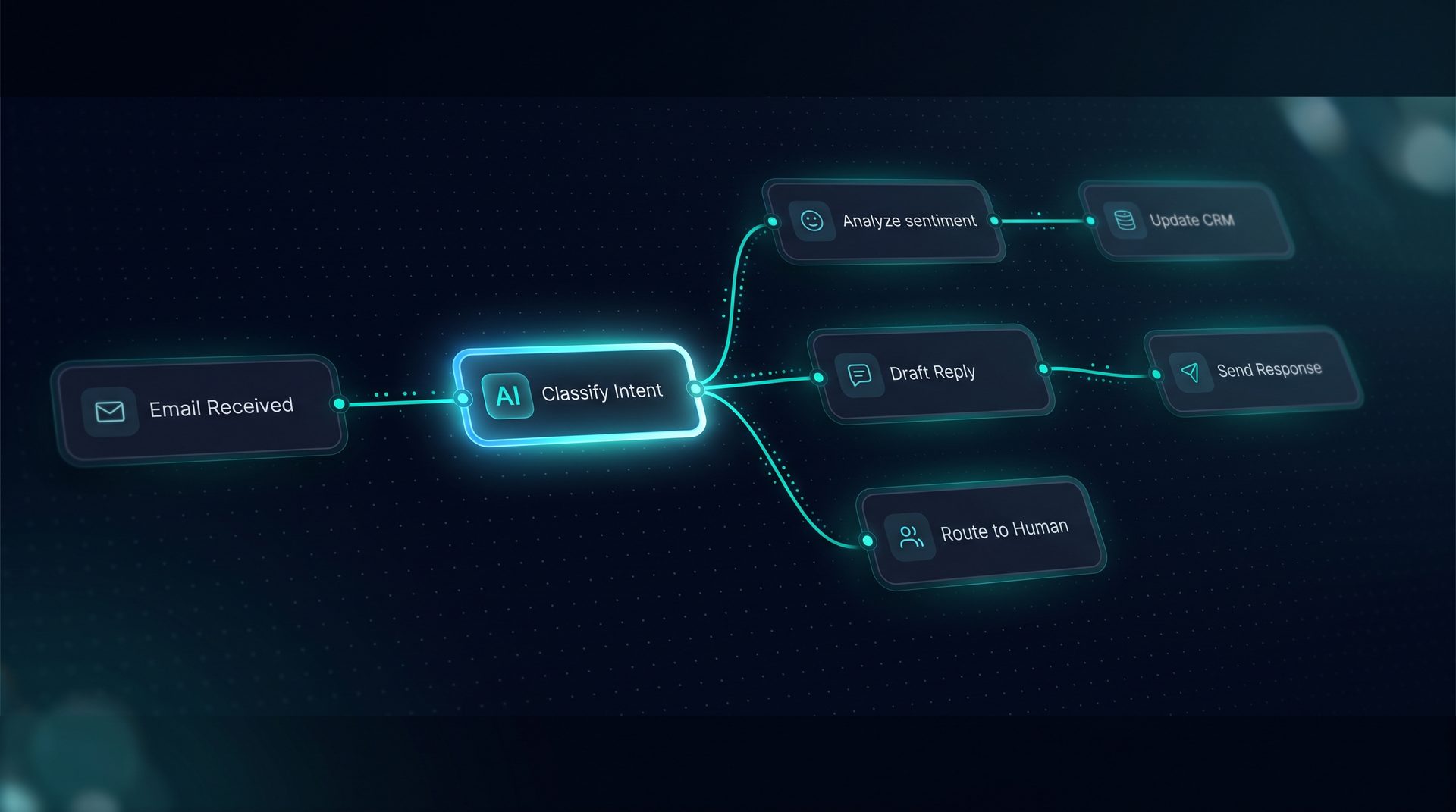
App development ai is reshaping how teams design, write, test, and maintain applications. This deep-dive focuses on concrete mechanisms and workflows where ai app development tools are applied today, what they do well, where human engineers remain essential, and practical tradeoffs to consider when integrating ai in app development pipelines.
Where App Development AI Fits In A Typical Build Cycle
In a standard development cycle, ai can be introduced at specific stages rather than replacing the whole process. Common insertion points include:
- Requirements understanding and specification drafting
- Code generation from prompts or examples
- Automated testing generation and test maintenance
- Documentation search and retrieval over internal docs
- Code review assistance and security scanning
- Build and deployment script suggestions
Each insertion point uses different classes of models and connectors. For example, retrieval-augmented generation is common for documentation queries, while smaller code-focused models assist with local code generation and refactoring. Understanding the mechanism guides reasonable expectations for outcomes.
Mechanisms: How AI Produces Useful Output
Retrieval-Augmented Generation (RAG) For Documentation
RAG combines a vectorized index of documents with a language model that conditions answers on retrieved passages. In ai in app development this is used to answer questions such as "where is the API contract defined" or "how is auth handled in this repo." The vector index is refreshed as documentation changes so answers remain grounded in current project artifacts.
Code Generation Models
Models trained on code produce completions or whole-file suggestions. They work by learning syntax patterns, common libraries, and idioms. In ai app development, these models are often prompted with function signatures, tests, or comments to generate implementations.
Synthesis From Examples
Given a small set of input-output examples, ai for coding can synthesize generalized routines. This is useful for transforming data formats, generating serializers/deserializers, or producing migration scripts when patterns repeat across files.
Static Analysis-Augmented Suggestions
Combining model output with static analysis tools helps catch obvious type errors, unused imports, or incorrect return shapes. This hybrid approach reduces the frequency of syntactic mistakes in generated code.
Practical Workflows: Step-By-Step Integrations
Below are several reproducible workflows developers use when adopting app development ai.
1. Prompt-Driven Feature Scaffolding
- Create a minimal feature description and expected behavior.
- Provide existing interfaces or types as context in the prompt.
- Generate scaffolding: routes, API handlers, and tests.
- Run linters and unit tests to validate syntactic correctness.
- Refine generated code with targeted prompts or manual edits.
This workflow accelerates initial scaffolding but usually requires human review for edge cases, performance considerations, and architecture alignment.
2. Documentation Retrieval and Onboarding
- Index README, design docs, and architecture notes into a vector store.
- New engineers query using natural language; the system returns summarized passages and links to sources.
- Use follow-up clarifying questions to refine results.
This reduces onboarding friction, though the quality of answers depends on how well docs are maintained.
3. Test Generation and Maintenance
- Use ai to suggest unit and integration tests from function signatures and comments.
- Run tests and inspect failures; ask the model to generate fixes or improved assertions.
- Periodically regenerate or update tests when behavior changes.
Tests created by ai can increase coverage quickly, but they may mirror implementation details too closely, requiring human-designed tests for critical logic.
Tradeoffs And Limitations
-
Hallucination Risk: Models can fabricate plausible but incorrect code or documentation references. Always validate generated outputs against source materials and run tests.
-
Context Window Constraints: Long repositories exceed a single prompt window. Techniques like chunking and retrieval mitigate this, but some global reasoning remains challenging.
-
Security And Privacy: Sending proprietary code or secrets to external models can introduce risk. Teams often use on-premises or private-hosted models for sensitive codebases.
-
Maintenance Overhead: Generated code can be syntactically correct yet difficult to maintain if it follows uncommon patterns. Enforce style guides and linters to maintain consistency.
-
Dependence On Quality Of Prompts And Data: Better prompts and fresher documentation yield better results; poor prompts produce noisy output.
Important to know: results from app development ai can vary by repository, model, and prompt design. Outcomes may improve with iteration, but they are not guaranteed to be correct without verification.
Best Practices For Teams Using AI For Coding
- Keep prompts minimal and include only necessary context.
- Anchor answers with citations from the codebase when possible (use RAG to include sources).
- Run generated code through the same CI checks as human-written code.
- Treat generated tests as suggestions and review them for meaningful assertions.
- Use ai dev tools to automate repetitive tasks while reserving architectural decisions for human engineers.
Comparing 'Coding With AI' Approaches
-
Interactive Completion: Developers invoke suggestions inside their editor for small snippets. Best for accelerating routine edits and patterns.
-
Batch Generation: Generate files or test suites in bulk from high-level prompts. Best for scaffolding but requires stronger review.
-
Retrieval-Backed Answers: Querying docs and code to get contextual answers. Best for onboarding and knowledge retrieval.
Each approach balances speed and risk differently; mixing them allows teams to use ai for coding where it yields the most value.
Edge Cases And When Not To Use AI To Code
-
Security-Sensitive Algorithms: Cryptography, authentication, or compliance logic should be designed and reviewed by experts.
-
Performance-Critical Code: AI-generated implementations may not be optimized for performance or memory; benchmark and profile when necessary.
-
Novel Algorithms: When the solution requires invention rather than pattern replication, human creativity and deep domain knowledge are essential.
Tooling Considerations: Integrations And Pipelines
Integrate ai dev tools into existing workflows rather than replacing them. Typical integrations include:
- Pre-commit hooks that reject generated code missing linting
- CI steps that run generated tests and require human approval for merges
- Documentation search UIs built on top of vector indexes
- Local inference options or secure deployment for sensitive repos
These integrations keep ai outputs measurable and auditable within the team's governance model.
Conclusion
App development ai offers pragmatic benefits: faster scaffolding, improved developer productivity on routine tasks, and better access to institutional knowledge through retrieval. However, it is not a full substitute for engineering judgment. Combining ai app development capabilities with disciplined code review, CI validation, and human-led architectural decisions yields the most reliable outcomes. Teams should view ai for coding as an assistant that speeds workflows while requiring standard safeguards.