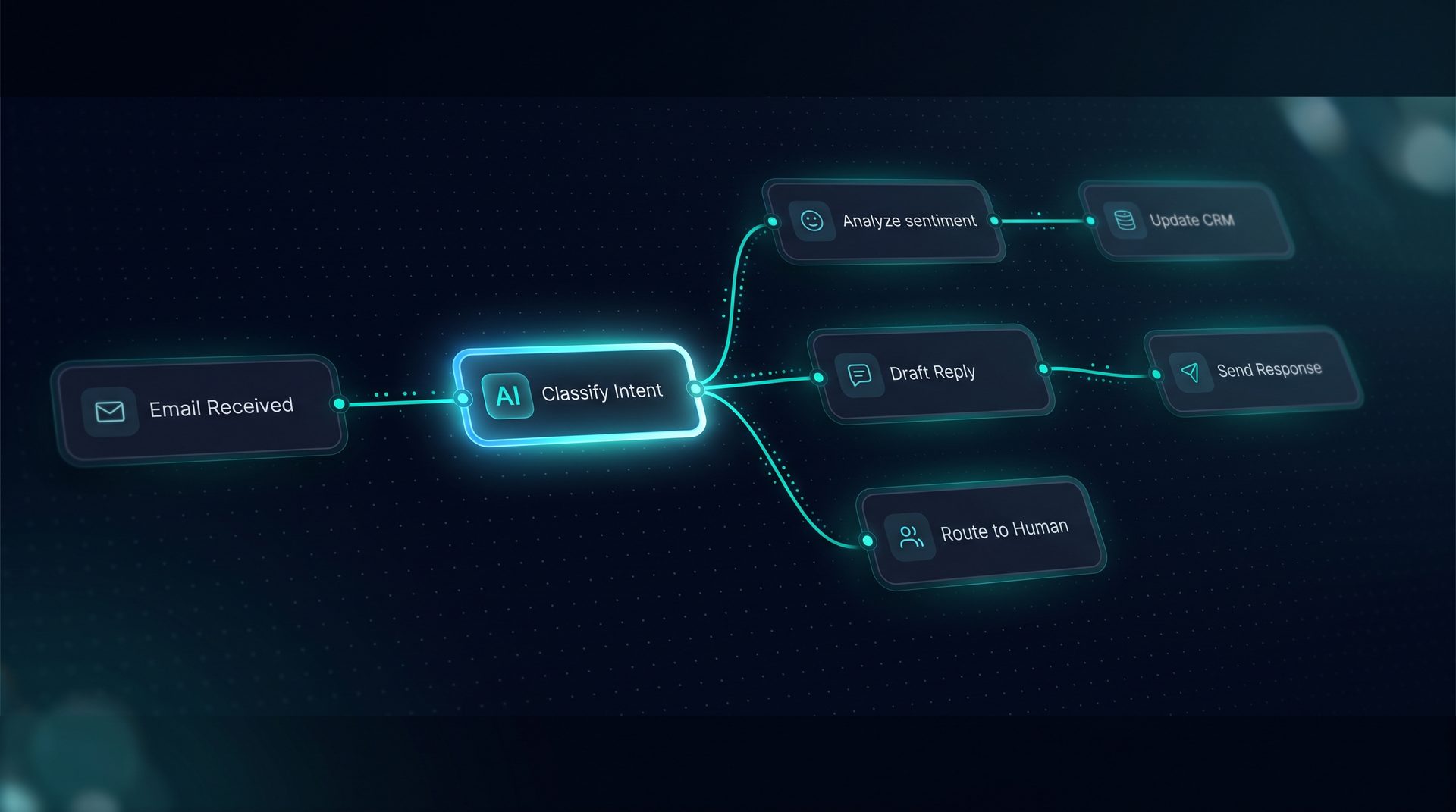
Build ai app
Building a successful app that uses machine intelligence starts with a clear, repeatable process. This guide focuses on how to build ai app from the first product question through a working deployment, assuming familiarity with basic AI concepts. In the first paragraphs the practical steps are outlined so you can begin to build an ai app and know where tradeoffs commonly occur.
Define the job and user outcome
To build an ai app, start by defining the job to be done: the specific user outcome the app must enable. Narrow the use case to a concrete input → output flow. Examples of tight scopes include transforming customer emails into summarized replies, classifying incoming documents, or generating a short draft from bullet notes.
- Write one-sentence outcome statements that start with a user and end with a measurable output.
- Prioritize scenarios that use text, images, audio, or a mix—choose the primary modality early because it drives interface and model choices.
Important to know: early scopes may change as users test the prototype. Claims about speed or accuracy may vary depending on your dataset and integration choices.
Choose how users will interact: interface patterns
When you build an ai app, the interface determines how users provide context and get value. Common interaction patterns are:
- Conversational chat UI — user types or speaks, model replies.
- Form-based workflow — structured inputs mapped to model prompts or pipelines.
- Document upload + processing — user submits files that the app parses and returns outputs.
- Embedded assistant — model enhances an existing product interface.
Tradeoffs:
- Chat UIs are flexible but can produce variable outputs that need guardrails.
- Forms reduce ambiguity and often improve reliability by constraining inputs.
- Document processing requires extraction layers and may need retrieval-augmented generation.
Choose one dominant interface to prototype; mixing too many at once makes it harder to iterate.
Architect the model and knowledge connectivity
Core decisions when you build an ai app center on how the AI component accesses knowledge and executes tasks.
- Prompt-only approaches rely on a model and carefully crafted prompts for each input. These work best for smaller scopes with limited external data needs.
- Retrieval-augmented approaches pair a model with a search layer over a knowledge store (documents, product data, CRM). Use this when you must ground outputs in specific facts.
- Hybrid pipelines chain models and deterministic steps: extraction → normalization → model reasoning → post-processing.
Practical wiring steps:
- Inventory data sources the app needs to answer user queries.
- Decide how those sources will be indexed and retrieved (embedding search, vector store, keyword search).
- Define prompt templates and example-driven few-shot content to steer model behavior.
Edge cases to plan for: stale knowledge, inconsistent document formats, and privacy-sensitive inputs. When you build an ai app that touches user data, plan for access controls and redaction rules.
Build the prototype: components and minimal scope
To build an app with ai quickly, focus on a minimum viable path that demonstrates the core value.
Essential components to include in a first prototype:
- Input capture: text box, file upload, or voice recorder.
- Preprocessing: normalization, language detection, or simple parsing.
- Core AI pipeline: prompt construction, retrieval, or model call.
- Output layer: human-readable result, download, or suggested follow-up action.
- Logging: capture inputs, model outputs, and key metadata for debugging.
Step-by-step prototype flow:
- Map a single user journey from input to final output.
- Build the UI to capture only required fields.
- Wire a simple prompt template that uses placeholders for dynamic content.
- Add a retrieval step if the task requires facts from documents.
- Show the model output in context and allow the user to correct or refine it.
Testing: verification, evaluation, and user feedback
Testing is where many teams slow down when they build an app ai: models can behave unpredictably without clear evaluation.
Practical tests to run:
- Unit tests for prompt templates and parsing logic.
- Synthetic test cases covering typical, edge, and adversarial inputs.
- Human review sessions where reviewers rate outputs for usefulness, accuracy, and tone.
Metrics and acceptance criteria should be pragmatic. Use qualitative feedback in early stages; later, capture structured ratings and examples that fail.
Notes: performance on public benchmarks may not reflect real-world results. Outcomes can vary by dataset, user behavior, and choice of retrieval materials.
Safety, guardrails, and content controls
When you build an ai app, implement guardrails to reduce harmful or irrelevant outputs:
- Input validation to reject unsupported content types.
- Prompt-level instructions to avoid certain behaviors.
- Output filters for profanity, personal data leakage, or disallowed categories.
- Human-in-the-loop flows for high-risk decisions.
Balance is important: too strict constraints can reduce usefulness, too loose controls increase risk. Track failure modes and adjust policies as you gather user data.
Deployment and operational concerns
Deploying an ai powered app requires operational planning beyond the model call:
- Latency: optimize retrieval and prompt processing for acceptable response times in the chosen interface.
- Cost: model usage can be a major variable cost; design batching, caching, or hybrid strategies to reduce unnecessary calls.
- Monitoring: log inputs, outputs, and response times for ongoing improvement.
- Retraining and updates: plan how to incorporate new documents or updated knowledge into retrieval indexes without breaking the app.
Important to know: production behavior can differ from testing; monitor early and be ready to iterate.
Iteration and productizing the prototype
After launching an initial version, iterate by focusing on the highest-leverage improvements:
- Fix frequent failure cases uncovered in logs and reviews.
- Tighten prompt templates or add examples for common user intents.
- Expand retrieval coverage where missing facts cause hallucinations.
- Improve UX: add feedback buttons, short tutorials, or example inputs.
When teams move from prototype to product, formalize evaluation, implement versioning for prompts and indexes, and build roll-back options for model changes.
Conclusion
To build app ai successfully, concentrate on a tightly scoped job, pick an interface pattern that fits the user need, and wire models to the right knowledge sources. Prototype fast with a minimal path, test extensively with real inputs, and add safety and monitoring before broader rollout. By iterating on failures and focusing development on the parts that most affect user value, teams can move from idea to a working ai powered app more predictably.
Quick checklist to start building
- Define the job and success criteria for your app.
- Choose the primary interaction pattern: chat, form, or document.
- Decide retrieval vs. prompt-only architecture.
- Build a minimal prototype that demonstrates core value.
- Run human review tests and add guardrails.
- Deploy with monitoring and plan iterative updates.