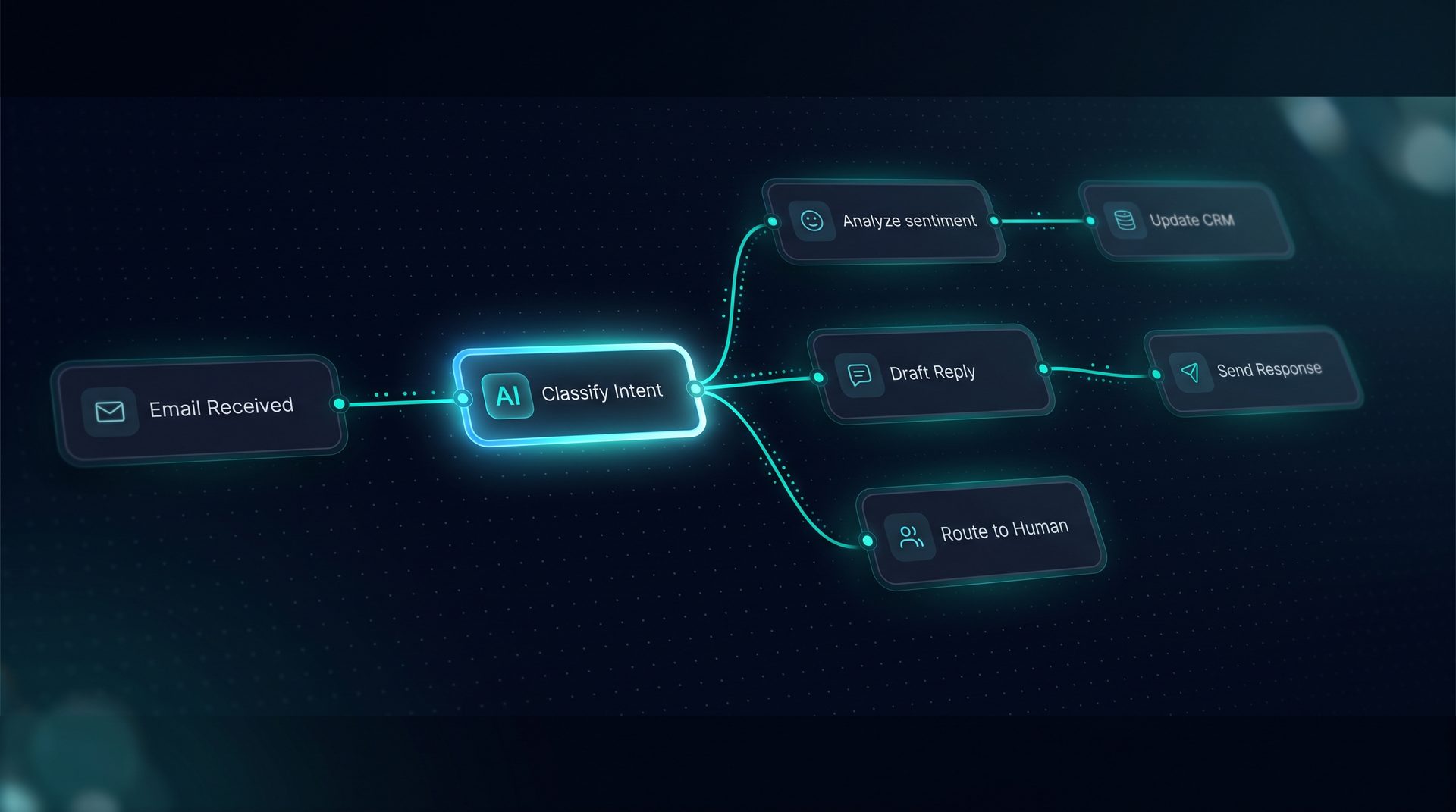
Drag and Drop AI
Drag and drop ai has become a dominant framing for people learning to assemble intelligent workflows without writing low-level code. In this deep dive, the goal is to explain exactly what a visual ai builder changes in the development process, which parts of an ai workflow can be assembled purely by dragging, and where a no code ai builder still requires configuration, design thinking, or textual rules.
What "drag and drop ai" actually means
At its core, drag and drop ai is a user interface pattern: components representing models, data sources, transformations, and outputs are placed onto a canvas and connected to form a pipeline. A visual ai builder focuses attention on topology and data flow rather than on syntax. That simplifies early experimentation and makes concepts like branching, retries, and error handling visible.
Key characteristics of drag and drop ai systems:
- A canvas where nodes and connectors represent pipeline stages
- Node types for data ingestion, model inference, transformation, and export
- Visual signals for execution state, latency, and errors
- Reusable subgraphs or modules you can drop into other flows
However, the presence of a canvas does not mean every detail is hidden. A no code ai builder typically exposes configuration panels for each node and often requires textual configuration for mapping fields, scripting transformations, or specifying prompts.
How visual ai builder changes iteration speed
A visual ai builder accelerates iteration in several ways:
- Immediate structural feedback: rearranging nodes makes dependencies and data flow obvious, reducing cognitive load.
- Reusable components: common preprocessing or evaluation modules can be dropped in, avoiding repeated setup.
- Visual debugging: execution traces on the canvas help locate failures faster than searching logs alone.
That said, iteration speed gains depend on the fidelity of the visual representation. When a canvas shows live state and sample data flowing between nodes, it helps to spot data mismatch and prompt drift early. Conversely, when a visual builder abstracts away too many details, developers may spend time hunting subtle transformation bugs that the interface hides.
Practical tradeoffs
- Pro: Faster prototyping for new ideas and stakeholders who prefer diagrams.
- Con: Complex logic expressed across many nodes can become harder to reason about than a compact script.
- Pro: Easier onboarding for non-engineers, product managers, and domain experts.
- Con: Edge-case handling and performance tuning often still require manual configuration.
Live state, sample data, and debugging in drag and drop ai
A useful visual ai builder surfaces three runtime views:
- Structural view: the topology of nodes and connectors
- Sample-data view: example payloads at each connector to validate transformations
- Execution view: runtime status, error traces, and logs
When these views are integrated, debugging changes from an exercise in reading logs to an activity of tracing a data record visually across nodes. That makes it easier to answer questions like "Which node turned a numeric field into text?" or "Where did a required field become empty?"
Common debugging patterns in a visual ai builder:
- Inspect sample data at connectors after each transformation node
- Use assertion or validation nodes to fail early when invariants break
- Temporarily insert logging or inspect nodes to capture intermediate state
Note: Visual tools may surface only a windowed sample of the data for performance reasons. When investigating rare edge cases, it may still be necessary to pull raw logs or run the pipeline on a focused dataset.
Which parts of an ai workflow are truly drag-and-drop
The following components are commonly available as drag-and-drop nodes:
- Data connectors (databases, file stores, streaming sources)
- Preprocessing steps (tokenization, normalization, cleaning)
- Model inference nodes (request a model with a configured prompt)
- Routing and branching (conditional connectors and gates)
- Output sinks (databases, dashboards, downstream APIs)
But several areas typically need manual configuration beyond dragging:
- Prompt engineering and dynamic prompt assembly often need textual editing
- Complex feature engineering or custom statistical transforms can require code or expression languages
- Model fine-tuning, hyperparameter selection, and training pipelines usually need separate tooling and cannot be captured on the canvas alone
Understanding these boundaries makes it easier to pick the right approach: use a no code ai builder to iterate on architecture and flow, and pair it with targeted code or configuration for nuanced logic.
Where an ai workflow builder still needs code or advanced config
Even with a polished visual ai builder, expect to handle the following manually at times:
- Field mapping across disparate schemas: automated mapping helps, but ambiguous or nested structures often need explicit mapping rules
- Error handling logic for transient vs permanent failures: visual defaults may be sensible, but production resilience needs deliberate policies
- Performance optimization: batching, caching, and parallelism settings are typically exposed as configuration an engineer must tune
- Security and compliance controls: access policies, data masking, and encryption settings are often outside the canvas and need governance
These limitations mean that a no code agent builder can significantly reduce iteration friction, but handoffs to engineering for production hardening remain common.
Building agents and automation with drag and drop ai
An ai agent builder or no code agent builder uses canvas metaphors to assemble decision loops: sensors, reasoners, and actuators. The visual approach helps to make the agent’s memory, observation channels, and action pathways explicit.
Practical composition steps for a simple agent in a visual interface:
- Add a sensor node to capture input (webhook, user message, or system event)
- Connect a reasoning node that runs an inference or policy
- Insert a memory or context node that stores short-term state
- Add an action node that performs an output operation (API call, message send)
- Attach monitoring and fallback nodes to handle errors
While this structure is easy to assemble visually, the agent’s decision logic often needs prompt templates, scoring rules, or small scripts that live in node configuration. That’s why a hybrid approach — visual layout plus textual rules — is common in ai automation software.
Best practices for using drag and drop ai effectively
- Keep nodes focused: each node should perform a single logical step; avoid monolithic nodes that hide many behaviors.
- Use assertions early: validation nodes catch input problems before they propagate.
- Name and document nodes: readable labels and short descriptions drastically reduce onboarding time for collaborators.
- Version subgraphs: treat reusable modules as versioned artifacts so changes are auditable and reversible.
- Combine with tests: complement visual debugging with automated tests and checks outside the canvas.
Important to know: Results and behavior from a drag and drop ai process can vary by platform and pipeline data; visual builders can speed iteration but may not remove the need for detailed configuration or testing.
When to choose a visual ai builder versus code-first
Choose a visual ai builder when the priority is rapid experimentation, cross-functional collaboration, or communicating design intent. Choose a code-first approach when performance tuning, complex algorithmic transforms, or large-scale deployments are the primary concerns. Hybrid workflows — designing topology in a visual ai builder and exporting configurations to code for production — are increasingly common.
Conclusion
Drag and drop ai and visual ai builder interfaces materially change how teams design and iterate on ai systems by making topology, state, and data flow tangible. A no code ai builder lowers the barrier for assembling ai workflows, an ai workflow builder helps visualize dependencies, and an ai agent builder clarifies decision paths. Nonetheless, important areas such as prompt engineering, advanced feature engineering, performance tuning, and governance often still require textual configuration or code. Using visual tools with disciplined practices — validation, versioning, and testing — yields the greatest benefit when building reliable automation with ai automation software.