No Code AI: What You Can And Cannot Build Without Code
No code ai has matured rapidly, and teams now routinely consider a no code ai approach before writing custom code. This page focuses tightly on what a no code ai solution can realistically deliver, what a no code ai builder simplifies, and the precise limits where developers or ai dev tools become necessary. If you already understand basic ai concepts, this guide helps translate that knowledge into practical decisions about drag and drop ai and visual ai builder tradeoffs.
How No Code AI Builders Work (High-Level Mechanics)
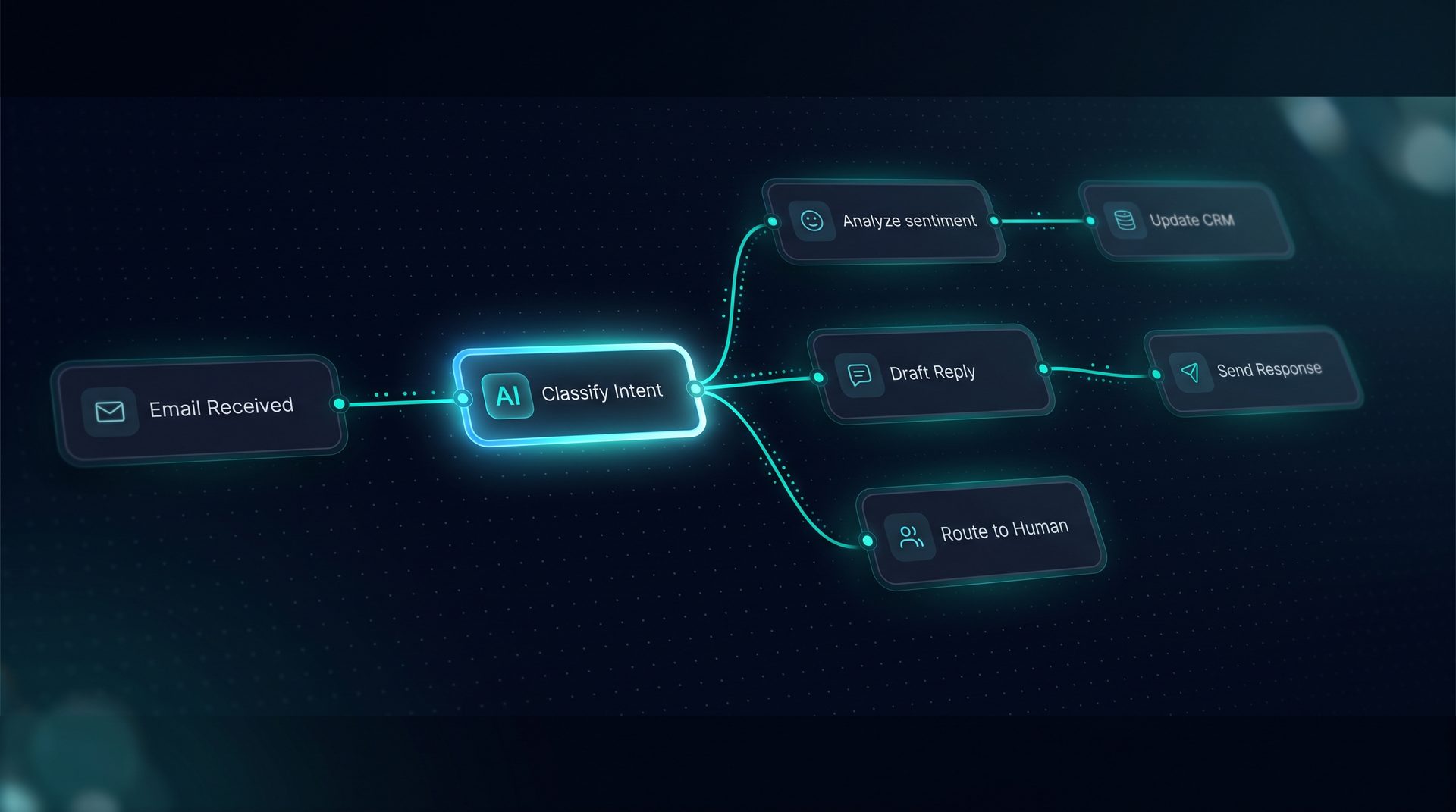
A no code ai builder exposes key model and pipeline operations through visual components and configuration panels rather than code. Typical building blocks include:
- Pretrained model connectors that let you select a model and tune a few parameters
- Data ingestion modules for common sources like spreadsheets, document stores, or APIs
- Visual pipelines where you chain components (data cleaning, inference, post-processing)
- Evaluation widgets that show sample predictions and simple metrics
These systems abstract complexity by offering opinionated defaults and safe fallbacks. A drag and drop ai interface maps user actions to a curated set of operations, reducing the choices a user must make. That makes it fast to build prototypes, internal tools, and many automation flows.
Important to know: Results from a no code ai builder can vary by dataset and goal, and some advanced behaviors may require intervention or custom code.
What You Can Build Well With No Code AI
No code ai is well suited to a range of common use cases where the problem can be expressed using the builder's components and available data connectors. Typical successes include:
- Customer support automation using conversational flows and intent classification with clearly labeled examples.
- Document parsing for predictable templates or semi-structured documents using composable extraction blocks.
- Simple recommendation or routing logic that combines model outputs with rule-based filters in a visual pipeline.
- Text summarization and report generation for documents where style and length tolerances are not strict.
- Basic ai automation software that coordinates model calls, notifications, and simple database updates.
These projects benefit from reduced engineering overhead, faster iteration, and easy stakeholder demos. For many teams, a visual ai builder shortens time-to-value and allows subject-matter experts to contribute directly to model behavior.
Where No Code AI Reaches Its Limits
While powerful for many tasks, no code ai also has clear boundaries. Expect to require code or specialized ai dev tools when you encounter:
- Custom model architectures or training loops that are not exposed in the builder.
- Complex data transformations that cannot be composed from available visual blocks.
- Tight performance constraints, such as latency budgets or highly optimized inference pipelines.
- Advanced observability needs like distributed tracing, causal attribution, or custom metrics beyond the builder's dashboard.
- Governance and compliance controls that require deep integration with existing identity, auditing, or encryption systems.
Edge cases often arise when the data distribution shifts, when business logic is unusually complex, or when you must embed models inside existing production systems in a nonstandard way.
Comparing Drag And Drop AI To Traditional Code-Based Workflows
Consider these practical comparisons that affect project planning:
- Speed of iteration: drag and drop ai often wins for prototyping; code-based approaches can take longer to implement but offer more flexibility.
- Transparency and control: visual ai builder interfaces simplify choices but may hide lower-level behavior; code provides full visibility into transformations.
- Collaboration: no code ai opens participation to non-engineers; code workflows concentrate work with engineers and data scientists.
- Maintenance: no code ai reduces maintenance work for simple pipelines but may become a constraint if you need custom fixes later.
When To Start With No Code AI
- Start with a visual ai builder when the problem maps well to the builder's capabilities and you need quick validation.
- Use no code ai for workflows where iterative tuning by product or domain experts is desirable without waiting on engineering.
When To Prefer Code or ai dev tools
- Choose explicit ai dev tools or code when you need bespoke model training, complex orchestration, or deep integration with proprietary systems.
Practical Architecture Patterns With No Code AI
The most robust uses of no code ai combine visual builders with a thin layer of custom code or external automation:
- Hybrid pattern: Use the no code ai builder for model configuration and human-in-the-loop flows, and implement custom connectors or adapters in code for unique data sources.
- Orchestration pattern: Treat the visual ai builder as a model execution service invoked from an external workflow engine or automation script.
- Monitoring pattern: Export predictions and observability logs from the visual ai builder to centralized monitoring so teams can track drift and performance.
These patterns keep the benefits of drag and drop ai while avoiding vendor lock-in or functionality gaps.
Practical Limitations And Tradeoffs To Plan For
- Debugging: Visual flows can complicate root-cause analysis; ensure you can inspect intermediate data and logs.
- Versioning: Not all visual ai builder interfaces provide fine-grained version control; design a backup plan for lineage and reproducibility.
- Customization vs. Simplicity: More customization often means leaving the no code ai environment or writing extensions.
- Observability: Basic dashboards might suffice early on, but over time teams may need to integrate with richer observability systems.
Notes: Capabilities in no code ai platforms can change, and results may vary between projects. Expect to re-evaluate choices as requirements evolve.
Best Practices For Successful No Code AI Projects
Follow these actionable steps to increase the chance of success:
- Define a narrowly scoped initial use case that fits the builder's strengths.
- Prepare clean, well-labeled training data before building; many visual builders assume structured inputs.
- Keep test sets and evaluation criteria separate from training data to avoid optimistic results.
- Instrument outputs early so you can monitor quality and detect distribution shifts.
- Plan an exit or extension strategy: know when to switch from visual ai builder components to ai dev tools or code.
Conclusion
No code ai and visual ai builder approaches dramatically lower the barrier to building many useful ai applications, especially when rapid iteration and cross-functional collaboration are priorities. However, there are clear scenarios where the limits of a no code ai builder require additional engineering or ai dev tools to achieve specific performance, observability, or integration goals. Understanding those boundaries up front helps teams choose a sensible hybrid approach: start with drag and drop ai for discovery, and layer in code when the problem demands it. In all cases, expect outcomes to vary with data quality, problem framing, and operational constraints.